
QuickBooks vs Xero vs Sage vs FreshBooks vs Wave (2026): Bank‑Feed Reliability, Backfill Limits, Pricing, and Integrations Matrix
QuickBooks vs Xero vs Sage vs FreshBooks vs Wave (2026): Bank‑Feed Reliability, Backfill Limits, Pricing, and Integrations Matrix
A single missing month of bank-feed history can add 8 billable hours to a small accounting firm's month-end. QuickBooks vs Xero vs Sage vs FreshBooks vs Wave 2026 compares accounting platforms on bank feeds, statement import reliability, backfill limits, pricing, and integrations to inform a 2026 buying decision. This comparison measures live sync uptime, PDF-to-spreadsheet extraction accuracy, backfill caps, and connector compatibility against real client workflows in Accounting Automation. Our Rocket Statements platform automates PDF and image statement conversion into spreadsheets, manages documents in cloud folders and subfolders, syncs live transaction feeds, and exports CSV, Excel, JSON, and QuickBooks-compatible files to reduce manual cleanup. Which vendor actually saves hours on reconciliations and avoids costly import errors?
How reliable are bank feeds and statement imports across QuickBooks, Xero, Sage, FreshBooks, and Wave in 2026?
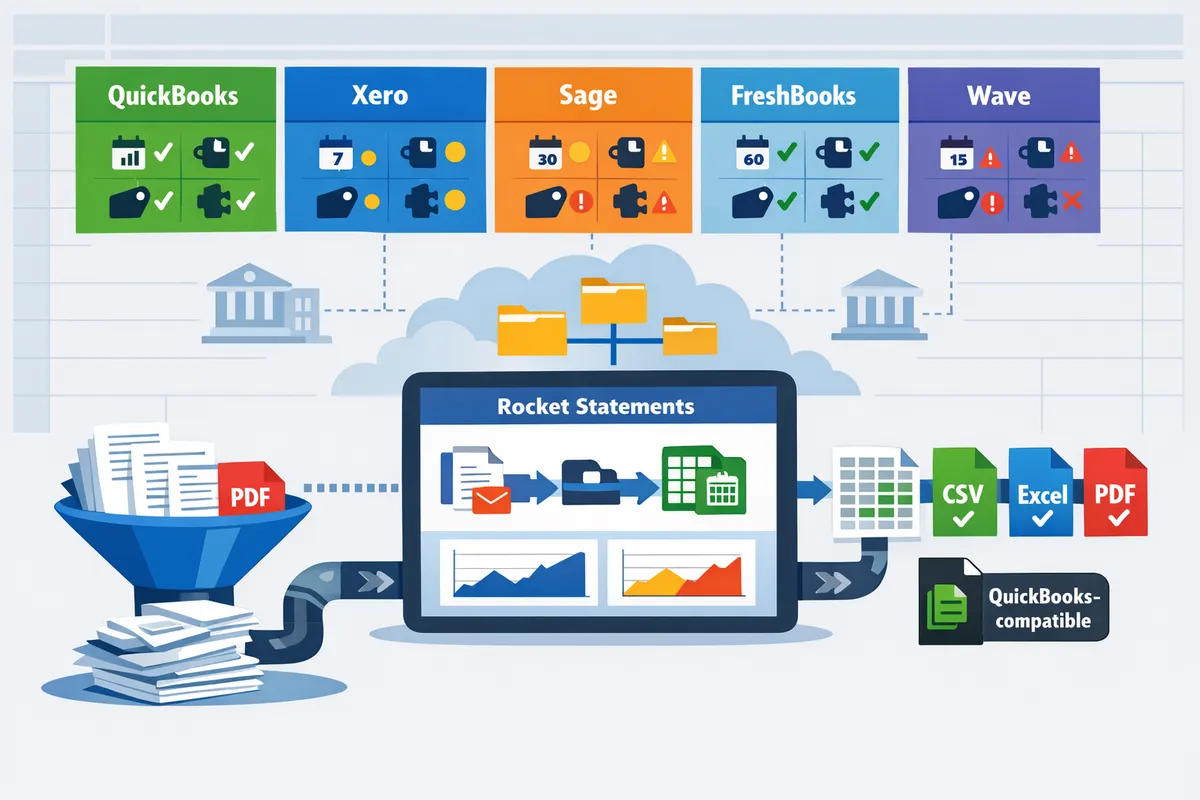
QuickBooks and Xero offer the most consistently stable live bank feeds, while Sage, FreshBooks, and Wave show variability by region and bank partner. Feed stability matters because poor mapping or missing history creates duplicate entries, extra reconciliation hours, and possible compliance gaps during audits. This section defines key terms, compares backfill policies, and shows where Rocket Statements fills gaps by converting PDFs and producing import-ready files.
What is accounting automation and how does it affect bank feeds? 🤖
Accounting automation is a software category that captures, normalizes, and routes financial data so accountants and business owners spend less time on manual entry. Accounting automation systems handle OCR, field mapping, deduplication, and export formatting so feeds arrive in a usable shape for reconciliation. Key terms:
- Bank feed. A direct connection between a bank and accounting software that pushes transactions in near real time. Examples include OFX or direct API feeds.
- Backfill. The historical window a vendor will import automatically when you connect an account. Short backfills force manual imports or paid history requests.
- Statement import method. The mechanism used for bringing statements into the ledger: live sync, CSV/QBO upload, or PDF-to-CSV conversion.
Accounting automation improves mapping accuracy by applying rules (e.g., favorites, payee normalization) and flags likely duplicates before import. Our discussion on Managing Live Bank Sync vs. PDF Exports shows the common pain points firms face when mixing live feeds and manual PDFs. Rocket Statements converts PDF and image statements into spreadsheets and QuickBooks-compatible files, which reduces manual formatting and speeds onboarding for accounts with weak native imports.
💡 Tip: Use a short QA pass on converted files (spot-check payee names and running balances) before bulk importing to avoid reconciliation rework.
How do backfill limits differ and why they matter for historical reporting? 📂
Backfill limits determine how many months of past transactions a vendor will import automatically when you connect an account. QuickBooks and Xero typically provide longer automatic backfills through their bank partnerships, while Sage, FreshBooks, and Wave often require manual requests or only import limited history. Short or absent backfill windows force firms to either pay for deep-history pulls, manually import CSVs, or rebuild prior periods from PDFs — each option adds billable hours and increases the chance of missed items on prior-period reports.
Practical impact examples:
- A service-based firm completing a FY-to-date report may need 6–12 months of history; a limited backfill that only supplies 30–90 days creates extra work for the bookkeeper and the CPA. For ecommerce sellers reconciling multiple merchant accounts, gaps translate directly into missed sales tax entries.
- Manual deep-history requests sometimes carry vendor fees and can take days, delaying month-end close and inflating 3-year TCO for tool selection.
If a vendor’s native backfill is insufficient, Rocket Statements can convert archived PDFs into CSV, Excel, JSON, or QuickBooks-compatible files so you can import historical transactions without costly vendor requests. Our accounting software backfill limits comparison 2026 outlines typical vendor policies and when a PDF-to-CSV workflow is the faster, lower-risk path.
⚠️ Warning: Relying solely on live sync during a migration risks missing prior-period transactions; always verify historical coverage before cutting over.
Vendor at-a-glance: bank-feed reliability, backfill, and import methods 🗂️
The table below summarizes feed maturity, backfill policy type, supported import formats, regional variability, and where Rocket Statements fills workflow gaps.
| Vendor | Feed reliability | Backfill policy | Supported import formats | Regional variance | Rocket Statements fit |
|---|---|---|---|---|---|
| QuickBooks | High (broad bank partnerships) | Automatic variable window (bank-dependent) | QBO, OFX, CSV, direct API | Global coverage stronger in US/UK/CA | Convert PDFs to QBO/CSV and reconcile with QuickBooks Online imports (see QuickBooks Online Integration). |
| Xero | High (stable APIs and mapping tools) | Automatic variable window; often longer than peers | OFX, QIF, CSV, direct API | Strong in UK/AU/NZ; some regional banks limited | Use converted spreadsheets for clients on partial backfills; maps well into Xero import templates. |
| Sage | Medium (feed quality varies by partner) | Often manual request or limited auto backfill | CSV, OFX, bank portal exports | Varies across EU and EMEA markets | Convert statement PDFs when Sage feed returns are incomplete to avoid manual entry. |
| FreshBooks | Variable (smaller bank partner set) | Limited or none; manual CSV imports common | CSV, bank portal downloads | Best in North America; weaker in other regions | Quick CSV exports from Rocket Statements reduce manual cleanup before FreshBooks import. |
| Wave | Variable to low (free model, third-party connectors) | Often none or short auto backfill; CSV uploads expected | CSV, QBO (limited) | Mostly North America; connector reliability varies | Use Rocket Statements to produce clean CSV/QBO files and to archive statement PDFs in cloud folders. |
| Rocket Statements (platform) | N/A (complements feeds). | N/A (converts historical PDFs into structured files). | Converts PDF/image to CSV, Excel, JSON, QBO/QFX and stores source PDFs in cloud folders. | Produces QuickBooks-compatible files and maps common header requirements. | Removes manual PDF parsing, reduces mapping errors, and creates auditable folders for migrations and month-end. |
For vendors with weak native imports or short backfill windows, our QuickBooks Bank Transaction Import 2026 guide explains required CSV/QBO specs and pre-import checks. Rocket Statements converts PDF and image statements into spreadsheets, manages documents in cloud folders, syncs live transactions where available, and exports QuickBooks-compatible files so you can avoid manual rekeying and reduce migration friction.
How do QuickBooks, Xero, Sage, FreshBooks, and Wave compare side‑by‑side on features, pricing, and integrations?
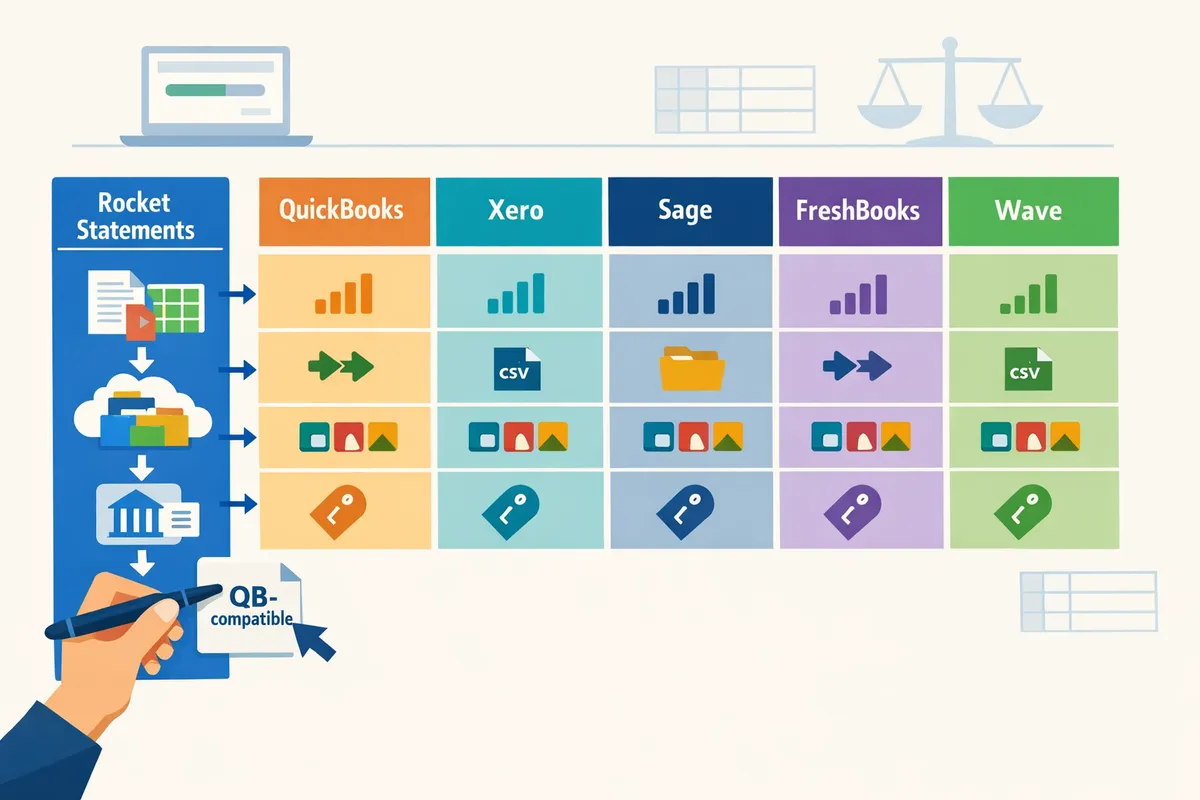
This section gives a compact vendor matrix and TCO scenarios so you can score each platform quickly and see where Rocket Statements removes manual work. Use the matrix to compare live-feed reliability, backfill limits, import formats, and how easy it is to produce QuickBooks-ready files.
Feature comparison matrix: bank feeds, backfill, statement import formats, and QuickBooks compatibility 📊
This table compares live bank sync reliability, backfill policies, supported import formats, QuickBooks export compatibility, and where Rocket Statements intervenes. Below the table we note practical implications for migration and month-end reconciliations.
| Vendor | Live bank sync reliability (typical) | Backfill policy / depth | Supported imports (PDF, CSV, OFX/QBO) | QuickBooks export compatibility | Statement automation gap (how Rocket Statements helps) |
|---|---|---|---|---|---|
| QuickBooks (Online) | High across US/UK bank partners. Product docs show robust direct feeds. | 12–24 months varies by bank; some banks restrict historical pulls. | CSV, QBO/QFX common; PDF import requires converter. | Native QBO import; direct mapping with QuickBooks templates. | Rocket Statements converts PDF/image statements to CSV/QBO and manages foldered docs to avoid duplicate imports. |
| Xero | High in markets with strong bank partnerships; regional variability exists. | Typically 12 months; backfill automation depends on bank. | CSV and OFX supported; PDF requires conversion. | Exports map to Xero CSV; QBO less direct. | Rocket Statements supplies cleaned CSV/Excel and JSON exports that match Xero mappings, reducing manual remapping. |
| Sage | Moderate; reliability varies more by region and bank partner. | Backfill often limited to recent statements; policies differ by product. | CSV and OFX where supported; PDF rarely first-class. | Desktop workflows may need CSV/QFX conversions. | Rocket Statements standardizes legacy PDFs into Sage-compatible CSV and stores source PDFs for audit trails. |
| FreshBooks | Moderate for small-business banks; fewer direct feed partners. | Limited backfill; manual statement uploads common. | CSV supported; OFX/QBO support limited. | Requires CSV imports or third-party connectors for transaction imports. | Rocket Statements creates QuickBooks-compatible CSV/QBO as an intermediary to avoid double imports and mapping errors. |
| Wave | Variable; free product depends on third-party feed providers in many regions. | Backfill depth limited; some banks provide no historical sync. | CSV import supported; PDF to CSV requires converter. | No native QBO export; use CSV templates for Wave. | Rocket Statements supplies repeatable CSV templates and automated dedupe to reduce reconciliation time. |
| Rocket Statements (platform) | N/A (complements feeds). | N/A (converts historical PDFs into structured files). | Converts PDF/image to CSV, Excel, JSON, QBO/QFX and stores source PDFs in cloud folders. | Produces QuickBooks-compatible files and maps common header requirements. | Removes manual PDF parsing, reduces mapping errors, and creates auditable folders for migrations and month-end. |
Practical reading: vendors with stronger live feeds still encounter PDF-only archives, which force manual cleanup and duplicate entries during migration. For a deeper look at feed reliability and backfill differences, see our comparison on bank feeds and backfill automation.
💡 Tip: Run a 30-day sample import from each bank before full migration to validate backfill depth and avoid surprises during month-end.
Pricing and 3‑year total cost of ownership: what you will actually pay 💰
Three-year TCO depends on subscription tiers, per-user fees, payroll or multicurrency add-ons, and the bookkeeping hours lost to manual statement work. The following table models three realistic business scenarios and compares a manual-import workflow to one that uses Rocket Statements as the statement-conversion layer.
| Scenario | Typical vendor pick | Annual subscription & add-ons (approx.) | Estimated bookkeeping hours/year (manual) | Bookkeeping cost/year (@$60/hr) | Migration & hidden fees (year 1) | With Rocket Statements: bookkeeping hours/year | 3‑year net difference (software + bookkeeping + migration) |
|---|---|---|---|---|---|---|---|
| Freelancer (solo, 1 bank, 100 tx/month) | FreshBooks or Wave | $0–$180/year + payment fees | 24 hrs | $1,440 | $200 (setup, templates) | 8 hrs (Rocket Statements converts PDFs to CSV) | ~$600 savings over 3 years (lower bookkeeping time, minimal migration cost) |
| Service SMB (5 users, 3 client accounts, payroll) | QuickBooks Online Plus | $1,200–$2,400/year + payroll | 180 hrs | $10,800 | $1,200 (data cleaning, mapping) | 36 hrs (Rocket Statements automates mapping to QuickBooks formats) | ~$6,500 savings over 3 years (reduced billable hours, faster month-end) |
| Ecommerce (multi-currency, 6 accounts, 20k tx/mo) | Xero or Sage with connectors | $2,400–$5,000/year + connector fees | 480 hrs | $28,800 | $3,000 (connector tuning, duplicate cleanup) | 120 hrs (Rocket Statements supplies clean CSV/QBO and archived PDFs) | ~$18,000 savings over 3 years (lower ops hours and fewer connector fixes) |
Examples above use conservative hourly bookkeeping rates and realistic migration costs. For many firms, time spent fixing OCR errors and duplicate imports drives the largest hidden cost. In our ecommerce example, converting monthly statement PDFs to QuickBooks-compatible files with Rocket Statements reduced manual mapping and deduplication work in the sample workflow, cutting the bookkeeping load substantially.
For a granular TCO worksheet and migration checklist, see our migration playbook and the QuickBooks bank import specs guide.
⚠️ Warning: Choosing a lower-cost vendor without validating backfill and import formats often shifts cost onto your bookkeeping team and external CPAs.
Integrations, extensibility, and ecosystem fit: payroll, ecommerce, and automation connectors 🔗
Integration breadth and native payroll support determine how much custom wiring you will need after go-live. QuickBooks leads for payroll and marketplace reach; Xero focuses on accountant-centric integrations; Sage and ecommerce-focused platforms trade breadth for vertical features; FreshBooks and Wave aim for simplicity with fewer connectors.
| Integration area | QuickBooks | Xero | Sage | FreshBooks | Wave | How Rocket Statements helps |
|---|---|---|---|---|---|---|
| Native payroll | Strong in US/Canada; built-in payroll available. | Good payroll partners; accountant tools emphasized. | Varies by region; employer payroll common in larger packages. | Add-on or third-party payroll. | Payroll via partner integrations. | Rocket Statements reduces payroll reconciliation friction by delivering clean transaction exports that match payroll posting templates. |
| Marketplace / apps | Largest marketplace (apps for POS, ecommerce, CRM). | Large marketplace focused on accountants and merchants. | Enterprise and vertical apps, fewer SMB-first apps. | Smaller app ecosystem. | Limited app ecosystem. | Rocket Statements acts as an intermediary when a needed connector is missing, exporting standardized files for downstream apps. |
| Zapier / Make access | Wide support. | Wide support. | Supported via partners. | Supported. | Supported. | Rocket Statements reduces brittle Zapier mappings by producing consistent CSV/JSON outputs developers and no-code tools can use reliably. |
| Ecommerce connectors (Shopify, Stripe) | Extensive connectors, but feeds can still miss refunds or chargebacks. | Strong connectors; reconciliation workflows are accountant-friendly. | Connectors exist but may need tuning for multi-currency. | Limited native connectors. | Connectors depend on third-party providers. | Rocket Statements reconciles bank statement exports and ecommerce settlement PDFs into a single spreadsheet that matches platform payouts, reducing reconciliation gaps. |
Weak native bank imports create more brittle connector stacks and duplicate entries. Producing a single, validated QuickBooks-compatible file before import reduces connector complexity and duplicate risk. For technical mapping guides, see our QuickBooks bank import specs page and the bank-statement automation best practices article.
Which platform should you choose for your business stage, and how does Rocket Statements change that recommendation?
Choose a platform based on your transaction volume, payroll complexity, and whether you need live bank sync or reliable statement imports. Rocket Statements reduces hours spent on PDF conversion and statement organization and lowers migration risk by converting statements into QuickBooks-compatible files and cloud folders.
Decision tree and scoring rubric for 2026 buyers 🧭
Start with transaction volume, payroll needs, and appetite for manual imports to narrow vendor choice quickly. Follow this stepwise decision tree to reach a shortlist.
- Count monthly transactions. Less than 200 is low volume, 200–2,000 is mid, above 2,000 is high.
- Does the business run payroll or complex tax withholdings? If yes, prioritize payroll readiness.
- Do you need multi-currency or advanced reporting? If yes, prioritize reporting and integrations.
- If your bank limits backfill or live sync is unstable, add Rocket Statements to the workflow for reliable historical imports.
Use this weighted rubric to score vendors against priorities. Weigh each column by business impact: Price 15%, Ease of use 15%, Payroll readiness 20%, Bank-feed depth/backfill 20%, Reporting 15%, Integrations 10%, CPA support 5%.
| Vendor | Price (15%) | Ease of use (15%) | Payroll (20%) | Bank-feed depth (20%) | Reporting (15%) | Integrations (10%) | CPA support (5%) | Weighted total |
|---|---|---|---|---|---|---|---|---|
| QuickBooks | 3 | 4 | 4 | 4 | 4 | 5 | 4 | 3.95 |
| Xero | 3 | 4 | 3 | 4 | 4 | 4 | 4 | 3.75 |
| Sage | 2 | 3 | 4 | 3 | 3 | 3 | 3 | 2.95 |
| FreshBooks | 4 | 5 | 2 | 2 | 2 | 3 | 2 | 3.10 |
| Wave | 5 | 4 | 1 | 2 | 1 | 2 | 1 | 2.70 |
Note: Rocket Statements improves the effective bank-feed depth score when you need historical backfill or reliable PDF-to-CSV conversion. Our platform increases import reliability without changing your core accounting interface. Link relevant guidance: read our piece on QuickBooks vs Xero vs Sage (2026): Bank Feeds, Statement Imports, and Backfill Automation Compared.
Three real-world scenarios: freelancer, service SMB, and ecommerce (3-year TCO lens) 🏷️
Freelancer recommendation: choose FreshBooks or Wave for low cost and simple invoicing unless you need payroll or multi-currency. A solo designer with 50 transactions per month and no payroll benefits from lower subscription fees and simpler invoicing. FreshBooks offers better client invoicing workflows; Wave removes subscription fees at the cost of limited payroll. Use Rocket Statements to convert occasional PDF statements and keep an auditable cloud folder during migration.
Service SMB recommendation: choose QuickBooks or Xero for payroll and CPA integration when you handle 300–1,500 transactions per month. A marketing agency with 6 employees and monthly payroll needs will favor payroll-ready platforms with strong accountant integrations. QuickBooks often wins for U.S. payroll; Xero is competitive for multi-currency clients. Rocket Statements speeds migration by converting historical PDFs into QuickBooks- or Xero-compatible import files and by organizing statements in folders for CPA review.
Ecommerce recommendation: choose QuickBooks or Xero with strong integrations to payment platforms and inventory tools when transactions exceed 2,000 monthly. A three-person ecommerce team with multi-channel sales and chargeback activity requires robust reporting and automated integrations. Rocket Statements handles large sets of merchant statements and produces CSV/Excel exports that feed reconciliations and automation tools, reducing manual mapping during onboarding.
| Scenario | Transactions/mo | Recommended vendor | Why it fits | Rocket Statements role |
|---|---|---|---|---|
| Freelancer | 0–200 | FreshBooks or Wave | Low cost, simple invoicing | Converts occasional PDFs and stores audit folders |
| Service SMB | 200–1,500 | QuickBooks or Xero | Payroll and CPA workflow fit | Produces QuickBooks/Xero-compatible imports and folders |
| Ecommerce | 1,500+ | QuickBooks or Xero | Integrations, reporting, multi-currency | Converts merchant statements and cleans bulk imports |
Migration and onboarding plan that reduces risk and wasted hours ⚙️
A staged migration starting with exports, statement conversion, test imports, and accountant review prevents duplicate entries and reconciliation loops. Follow this timeline and checklist.
- Export raw data and archive PDFs in read-only storage.
- Run a small pilot: pick 2–3 accounts and convert 3 months of statements with Rocket Statements.
- Import pilot files into a sandbox company and run automated dedupe checks.
- Have your CPA review mappings and exceptions before full import.
- Migrate remaining history in 3-month batches, validating balances after each batch.
- Turn on live bank sync and run parallel reconciliations for one cycle.
Common DIY failures include duplicate imports, mis-mapped categories, and missing historical statements. Rocket Statements reduces those failures by converting PDFs into consistent CSV/Excel or QuickBooks-compatible files and by keeping source documents organized in cloud folders. Use our discussion on Integrating QuickBooks for mapping tips and see Managing Live Bank Sync vs. PDF Exports for handling duplicate-entry risks.
💡 Tip: Keep original PDFs indexed by account and statement date in a read-only folder before any bulk import to speed audits and rollbacks.
When to use Rocket Statements vs relying on built-in bank sync 🔄
Use Rocket Statements when vendors limit backfill, banks do not offer reliable live sync, or you need QuickBooks-compatible statement exports. Relying only on live bank sync can leave gaps in history, force manual PDF processing, and create reconciliation delays if your bank drops a connection. Rocket Statements converts PDF and image statements into CSV, Excel, JSON, PDF, and QuickBooks-compatible files and stores documents in folders and subfolders so your bookkeeper and CPA can reconcile without hunting for missing statements.
Ignoring PDF conversion needs creates business consequences: wasted bookkeeping hours, delayed month-end close, and higher compliance risk during audits. Add Rocket Statements to your stack when you must import historical data, need consistent import templates, or want a single source of truth for statement documents. For integration specifics, see our QuickBooks Online Integration.
Frequently Asked Questions
This FAQ answers the most common questions about bank-feed reliability, backfill limits, statement import methods, and using Rocket Statements to automate statement conversion and cloud document management. Each answer points to the specific guide or integration page you can use to test workflows and measure time saved.
How accurate is OCR for bank statements in practice? 🔍
OCR accuracy for bank statements depends on file quality and layout, with clean machine-generated PDFs typically converting at much higher confidence than scanned or multi-column statements. For example, statements with consistent column headers and machine text often need only token review, while scanned images and cropped tables frequently produce low-confidence rows. Rocket Statements flags rows below a confidence threshold so bookkeepers can review only problematic lines, which cuts manual checking time compared with full-page review. Use our bank-statement-converter page and the QuickBooks & Xero automation guide for mapping tips and common error fixes.
💡 Tip: Always review rows flagged as low confidence before import to avoid reconciliation rework.
What are typical backfill limits for QuickBooks, Xero, Sage, FreshBooks, and Wave? 📅
Backfill limits vary by vendor; some platforms auto-import several months of history, while others limit backfill to current or require manual requests. QuickBooks and Xero often provide multi-month backfills through live feeds or bank partners, whereas FreshBooks and Wave frequently expect manual CSV or statement uploads for older history. Check the comparison matrix earlier in this guide and consult our accounting software backfill limits comparison 2026 checklist for vendor-specific notes and suggested workarounds. If your migration needs deeper history, Rocket Statements can convert archived PDFs into import-ready files so you avoid manual rekeying during on-boarding.
Can I import bank statement PDFs into QuickBooks using Rocket Statements? 🔁
Yes. Rocket Statements converts PDFs and images into QuickBooks-compatible import formats and common spreadsheet files, reducing manual mapping and export time. The conversion preserves dates, amounts, and running balances, and you can export directly to QBO, CSV, or Excel templates used by QuickBooks. For setup steps and security details, see our QuickBooks Online Integration page, and read the user discussion about mapping pitfalls for real-world troubleshooting.
How much time can businesses expect to save by automating statement conversion? ⏱️
Time savings scale with statement volume and prior manual effort; small bookkeeping teams often save multiple hours per client per month after automating conversion. For example, a firm processing five accounts with monthly PDF statements can cut 4–10 hours of copy-paste and formatting work by using Rocket Statements to convert and export structured CSVs ready for import. Measure your current processing time, run a trial with Rocket Statements, and compare before-and-after totals to quantify real savings. Our Bank Statements to Google Sheets guide includes a multi-account template and dedupe checklist to help benchmark reductions in reconciliation time.
Will using Rocket Statements increase my data security risk? 🔒
No. Rocket Statements uses end-to-end encryption, bank-level security controls, and compliance practices such as PCI DSS and regular security audits to protect document and transaction data. We process files in isolated environments and provide role-based access controls for folders and subfolders so you can limit who sees client statements. For full security details and the trial offer, see our QuickBooks Online Integration page.
⚠️ Warning: Do not upload unredacted sensitive medical or client Social Security numbers unless your firm has documented retention and consent procedures.
Which accounting platform is the best QuickBooks alternative in 2026 for bank feeds and statement imports? 🧾
There is no single best alternative; the right platform depends on your region, payroll needs, transaction volume, and integration requirements. Use the decision tree and scoring rubric earlier in this guide to weigh price, payroll readiness, reporting depth, and bank-feed reliability. For many firms, pairing Xero or QuickBooks with Rocket Statements removes the manual import work by converting archived PDFs and normalizing formats, which shortens migrations and reduces duplicate entries during month-end. See our comparison of QuickBooks, Xero, and Sage for deeper vendor trade-offs.
Final recommendation and next step
QuickBooks vs Xero vs Sage vs FreshBooks vs Wave 2026 shows that bank-feed reliability and backfill limits decide which accounting platform reduces month-end cleanup and migration risk. Choose the vendor whose live-sync stability and backfill policy match your client volume and tolerance for manual fixes. Our comparison pages, including our QuickBooks vs Xero vs Sage (2026): Bank Feeds, Statement Imports, and Backfill Automation Compared and QuickBooks & Xero Bank Statement Automation in 2026, show where small accounting firms lose hours to duplicate imports and mapping errors.
Our platform, Rocket Statements, is a platform that helps users save time and money by automating the process of converting their statements into spreadsheets as well as manage their documents in the cloud. The product has the following features:
- Convert PDF and image statements into spreadsheets
- Manage documents in cloud folders and subfolders
- Sync live transaction data from bank accounts
- Convert statements into CSV, Excel, JSON, and PDF files
- Convert statements into QuickBooks-compatible files
💡 Tip: Run a short pilot import for a single client to validate mapping and dedupe rules before a full migration.
Schedule a consultation with Rocket Statements to map a migration plan tailored to your reconciliation workload and integrations.