
Property Management Accounting in 2026: Buildium vs AppFolio vs Yardi vs TenantCloud — When to Add Rocket Statements for Bank Reconciliation

Property Management Accounting in 2026: Buildium vs AppFolio vs Yardi vs TenantCloud — When to Add Rocket Statements for Bank Reconciliation
A single unreconciled tenant payment can cost a property manager two hours of manual work and derail month-end reporting. Choosing the best property management accounting software means comparing Buildium, AppFolio, Yardi, and TenantCloud on reconciliation accuracy, reporting, and bank-data workflows. This comparison-post grades those platforms and evaluates when adding our Rocket Statements platform makes business sense for accounting automation. Our Rocket Statements product converts PDF and image bank statements into editable spreadsheets, stores documents in cloud folders with subfolders, syncs live transactions, and exports CSV, Excel, JSON, and QuickBooks-compatible files. We link the software feature trade-offs to practical workflows like our OCR bank statement to spreadsheet for property management and our client portal workflow. Which option actually reduces reconciliation hours without adding risk?
How do Buildium, AppFolio, Yardi, and TenantCloud differ for property management accounting?
They differ by target portfolio size, accounting depth, pricing model, and typical deployment timeline. This quick vendor profiling helps filter options by portfolio size, rental type, and how much time you can spend on onboarding. Use these profiles to eliminate poor fits before a deeper feature-by-feature comparison.
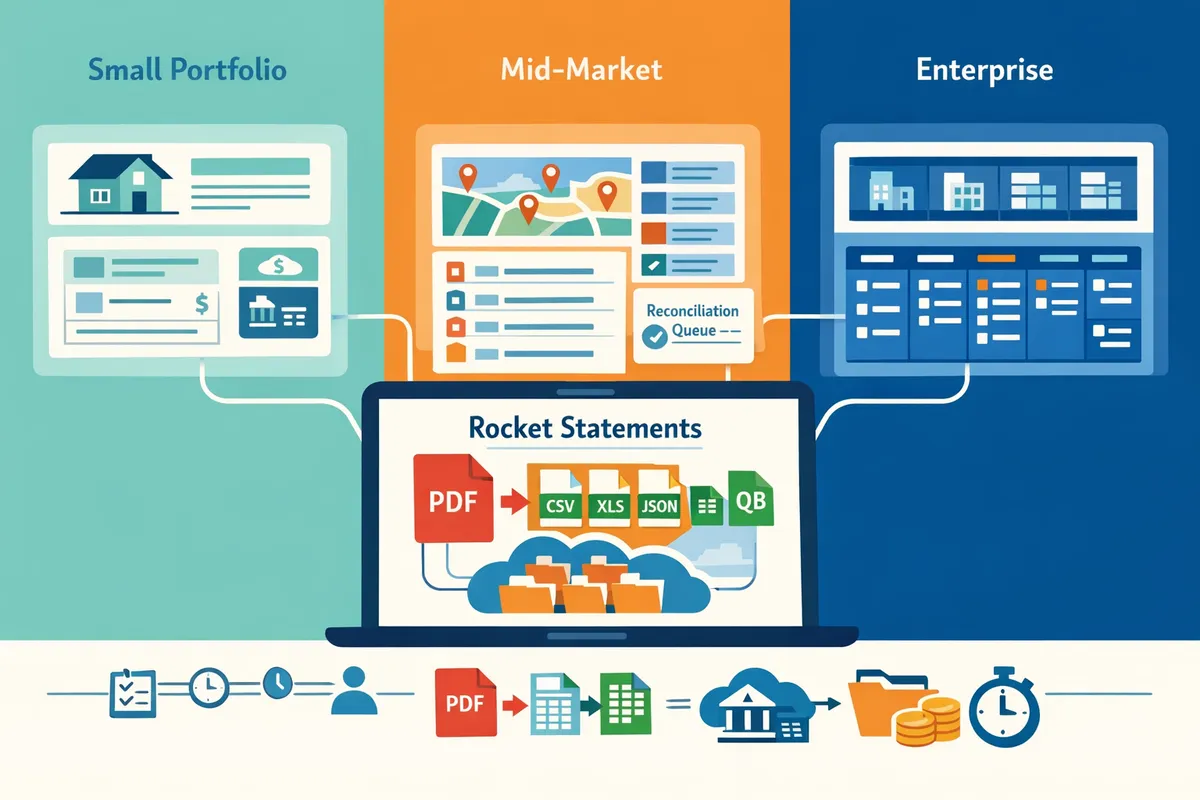
Buildium — best fit for small to mid-size portfolios 🧾
Buildium targets small to mid-size landlords and property managers with built-in trust accounting and tenant billing. Trust accounting is a ledger system that separates tenant funds from operating funds; Buildium provides the ledgers, standard reconciliation, and tenant billing workflows most small teams need. Typical scenario: a local property manager running 50 to 1,000 units who needs reliable month-end reports, online rent, and owner statements without heavy customization. Common trade-offs include fewer enterprise controls, limited multi-entity automation, and fewer native integrations for complex workflows. If your team still receives bank statement PDFs by email, Rocket Statements can convert those PDFs into spreadsheets for quicker import and reconciliation; see our Property Management page for examples.
AppFolio — best fit for growing firms and mid-market portfolios 📊
AppFolio serves scaling property managers that need stronger automation, tenant self-service, and mobile workflows. Firms with 150 to several thousand units often choose AppFolio for automated late fees, maintenance tracking, and tenant portals that cut calls and reduce administrative load. Migration pain points include mapping legacy spreadsheets or QuickBooks charts of accounts and reclassifying owner/tenant transactions during the cutover. Manual reconciliation during migration can cost hours per account; using Rocket Statements to produce import-ready spreadsheets reduces manual entry and speeds mapping. For a step-by-step migration playbook, see our guide on how to automate bank statement reconciliation.
Yardi — best fit for enterprise and complex portfolios ⚖️
Yardi fits enterprise and institutional portfolios that require multi-entity accounting, granular user permissions, and advanced compliance workflows. Large portfolios and mixed-use portfolios that need custom GL structures, departmental rollups, and audit trails will find Yardi's depth appropriate. The trade-offs are longer onboarding, heavier configuration costs, and a higher total cost of ownership for smaller portfolios. During long implementations, teams often wrestle with hundreds of legacy PDF statements; Rocket Statements converts those PDFs into structured spreadsheets and organized cloud folders, reducing manual data entry during the rollout.
TenantCloud — best fit for solo landlords and price-sensitive portfolios 💸
TenantCloud serves solo landlords and very small portfolios with free or low-cost tiers and basic ledgers for rent collection and tenant communication. Typical users manage fewer than 50 units or part-time rental owners who prioritize low monthly fees and simple workflows. Limits include basic reconciliation tools, minimal multi-entity support, and minimal automation for owner distributions. For short-term or part-time operations, TenantCloud is cost-effective; when your portfolio grows or you start receiving bank statements by email, add Rocket Statements to extract transactions into spreadsheets so you keep fast, audit-ready reconciliations without upgrading immediately.
Where Rocket Statements fits the vendor landscape 🔁
Rocket Statements is a document conversion and reconciliation helper that extracts transactions from PDF and image bank statements and prepares them for accounting imports. According to Rocket Statements' product pages, the platform exports CSV, Excel, JSON, and QuickBooks-compatible files and organizes converted statements in cloud folders to support reconciliation workflows. Use Rocket Statements when a vendor's direct bank feed is missing, when owners email PDFs, or when you need audit-ready spreadsheets fast during migrations and month-end closes. Integrate Rocket Statements with Buildium, AppFolio, Yardi, or TenantCloud to reduce manual entry and shorten reconciliation time.
💡 Tip: Use Rocket Statements' client portal to collect owner and tenant bank statements into property-specific folders. This reduces email attachments, creates an auditable upload trail, and speeds reconciliation.
For implementation playbooks and step-by-step examples of mapping statements to accounting systems, see our automation guide on how property management companies can automate bank statement reconciliation and our Property Management industry page for use cases and workflows.
Which platform wins on accounting, bank feeds, tax readiness, and reconciliation?
No single vendor "wins" across accounting, bank feeds, tax readiness, and reconciliation for every portfolio. Our website recommends: Buildium or TenantCloud for small and budget-conscious portfolios, AppFolio for mid-market teams that want more automation, and Yardi for large, multi-entity portfolios that require advanced trust accounting and reporting. Each choice trades off bank-feed coverage, trust accounting depth, and tax-export workflows, so show readers the trade-offs rather than declaring an overall winner.
Comparison criteria and scoring 📋
Score vendors by reconciliation reliability, tax export capability, bank-feed coverage, core GL/trust features, reporting/mobile, and total cost. Use vendor docs, support articles, and at least 50 aggregated user reviews to validate claims before publishing.
Use a weighted rubric that prioritizes the items that drive month-end close. A practical weighting to test is: reconciliation reliability 25%, tax readiness 20%, bank feeds and import flexibility 20%, core GL and trust accounting 15%, reporting and mobile 10%, cost of ownership 10%. Collect raw 1–5 scores per criterion, show weighted totals, and publish the scoring sheet so readers can see trade-offs.
Rocket Statements fills gaps when bank feeds are intermittent or statements arrive only as PDFs by converting those PDFs to CSV/Excel/JSON and producing QuickBooks-compatible exports for import. Our website uses Rocket Statements' client portal during pilots to collect statements and verify source coverage instead of guessing whether a vendor's live feed will cover every bank.
💡 Tip: Quantify feed failures during a one-month pilot (missing transactions per 100 statements) and use that metric as the reconciliation reliability input to your scoring sheet.
Feature matrix (suggested table columns) 📑
Publish a verified side-by-side matrix that shows bank-feed type, trust accounting, reconciliation automation, reporting templates, and tax export formats per vendor. Require primary evidence (vendor docs, screenshots of export samples, or vendor-provided templates) for each cell before you publish.
Suggested table columns: Vendor, Target portfolio size, Bank feeds (live vs manual), Trust accounting, Auto reconciliation, Reporting templates, Tax export formats, Integrations, Mobile app, Typical pricing, Rocket Statements gap indicator. Add a short footnote under the table that lists the evidence sources and the date you verified each cell.
| Vendor | Target portfolio size | Bank feeds (live vs manual) | Trust accounting | Auto reconciliation | Reporting templates | Tax export formats | Integrations | Mobile app | Typical pricing | Rocket Statements gap indicator |
|---|---|---|---|---|---|---|---|---|---|---|
| Sample entry | Small–mid portfolios | Live + manual import | Built-in trust ledger | Partial (match rules) | Rent roll, GL | CSV, QB export | QuickBooks, Zapier | iOS/Android | Mid-range | Fills PDF imports |
Footnote: Replace the sample row with vendor-verified facts. For each vendor cell, cite the source type (vendor doc, support article, screenshot, or N user reviews) and the verification date.
Tax readiness checklist (use per vendor during verification)
Verify whether the vendor: supports 1099-NEC/MISC export (CSV or IRS-compatible), allows owner/management Schedule E extracts, supports depreciation schedule exports or integrates with depreciation tools, maps memo lines and payee fields for correct 1099 generation, and permits multi-state 1099/filing workflows. Ask vendors for a sample export file so you can confirm field-level mappings before scoring.
How Rocket Statements integrates with Buildium, AppFolio, Yardi, and TenantCloud 🔗
Rocket Statements converts PDFs and images to CSV, Excel, JSON, or QuickBooks-compatible files and routes those files into property-management accounting workflows to reduce manual line-item entry. Use Rocket Statements to capture emailed or uploaded PDFs, convert them to the exact import template your PM platform expects, and preserve memo lines and payee names for cleaner reconciliation.
Concrete migration playbook:
- Collect statements through Rocket Statements' client portal and verify account numbers.
- OCR convert PDFs to CSV/Excel and run a quick reconciliation preview to flag obvious mismatches.
- Map bank account columns to the target vendor or QuickBooks import template and save the mapping for repeat imports.
- Import batch files and run auto-reconciliation rules inside the PM platform, then reconcile exceptions manually.
For TenantCloud users who rely on uploaded statements, Rocket Statements' cloud document folders keep raw PDFs alongside converted CSVs so auditors can trace every line back to the source. Manual rekeying of hundreds of transactions wastes staff hours and increases mismatches; using conversion plus template mapping shortens close and reduces correction cycles. For integration playbooks and process examples, see our bank statement reconciliation guide.
Security and compliance considerations 🔒
Encryption, role-based access, immutable audit logs, and routine backups are required controls for multi-entity property accounting. Verify each vendor's controls for encryption at rest and in transit, two-step admin approval for exports, and exportable audit logs before you accept a migration or sign a contract. Require vendors to show a sample audit trail that ties exported CSV rows back to source PDFs.
Rocket Statements' client portal supports controlled routing of uploads, folder-level permissions, and a conversion audit trail that records who uploaded and who exported each statement. Link conversion exports to the original PDF so your audit trail remains intact when you import into a PM platform.
⚠️ Warning: Never store tenant Social Security numbers or full bank account numbers in shared folders; mask or redact sensitive fields during collection and before team-wide access.
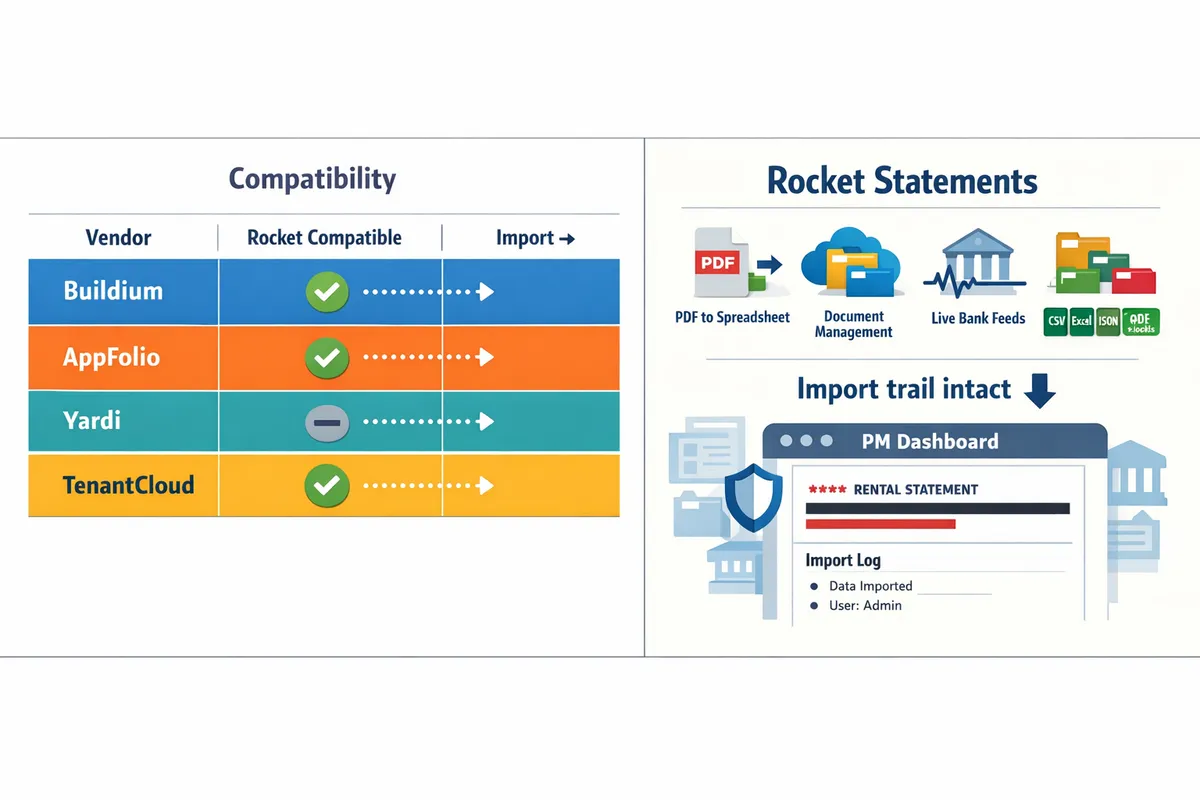
Related resources: read our bank statement reconciliation guide for a step-by-step automation playbook and our Property Management industry page for examples of how Rocket Statements supports tenant payment workflows.
Which setup should you choose for your portfolio, and when should you add Rocket Statements?
Match platform to portfolio size: TenantCloud for 1–25 units, Buildium or AppFolio for 25–500 units depending on automation needs, and Yardi for 500+ or complex portfolios; add Rocket Statements when bank statements arrive as PDFs, owners supply statements, or reconciliation consumes more than one staff-day per period. Rocket Statements is a document automation platform that converts PDF and image bank statements into structured spreadsheets, stores files in cloud folders, syncs live transactions, and exports CSV/Excel/QuickBooks-compatible files to speed reconciliation.
Decision tree by portfolio size and rental type 🚦
Use TenantCloud for solo landlords (1–25 units), Buildium or AppFolio for mid-market portfolios (25–500 units), and Yardi for large or complex portfolios (500+ units). Our website recommends:
- TenantCloud for single owners and small portfolios where low cost and basic bookkeeping matter. Add Rocket Statements when statements are emailed as PDFs from banks or owners. Rocket Statements converts those PDFs to CSV/Excel for fast import.
- Buildium for growing portfolios that need clear accounting workflows and owner portals but not heavy automation. Add Rocket Statements if owners send monthly PDFs or if you still rely on manual statement collection.
- AppFolio when you need more automation around tenant payments and faster reconciliation cycles. Pair AppFolio with Rocket Statements when you process many statement PDFs from multiple accounts.
- Yardi for multi-entity portfolios, HOAs, or institutional needs where compliance, audit trails, and advanced trust accounting matter. Add Rocket Statements to standardize PDF ingestion across entities.
For an operational playbook on automating reconciliation workflows, see our automation playbook for property managers.
Migration and onboarding playbook for rapid adoption 🚚
Run a staged migration that maps current ledgers, imports converted statements, and runs parallel reconciliation for one month before switching live. Step-by-step:
- Map ledger structure. Export your chart of accounts and tenant ledger layout to match the target platform. This reduces misapplied deposits during cutover.
- Export 6–12 months of historical statements. Use Rocket Statements to convert legacy PDFs into import-ready CSVs and organize them into folders by entity and year.
- Test bank feed connections. Confirm live bank feeds reconcile to the converted CSVs for 2–3 recent months.
- Run parallel reconciliation. Keep your old system live while reconciling the same month in the new platform for one full close cycle.
- Finalize and archive. After verification, finalize the cutover and keep an archived copy of original statements in Rocket Statements' cloud folders.
💡 Tip: Pilot conversion on 10–20 representative statements first and verify vendor and owner-supplied PDFs before a full migration.
Our website also recommends reading the step-by-step automation guide to avoid common migration pitfalls like lost entries and delayed tax reporting.
Cost-of-ownership and ROI examples for adding Rocket Statements 💼
Automating statement conversion often cuts manual reconciliation hours by half in typical bookkeeping workflows. Example scenarios (illustrative):
- Small firm example. A bookkeeper spending 8 hours/week reconciling 200 monthly PDF statements (tenant ledgers, owner draws, bank fees) spends ~416 hours/year. If Rocket Statements reduces manual entry to 2 hours/week, labor drops to ~104 hours/year, saving 312 hours. At $30/hr that equals $9,360 in annual labor savings.
- Mid-market example. A property manager with 300–1,000 monthly statements reduces owner dispute resolution time by removing ambiguous PDF line items. Fewer disputes shorten collection cycles and reduce missed rent recognition incidents that otherwise delay month-end close.
These are illustrative scenarios, not audited results. For a full migration and automation playbook that shows how Rocket Statements converts PDFs into QuickBooks-compatible exports and live transaction syncs, see our automation playbook and the accounting & bookkeeping overview.
Recommended configurations by scenario and pilot tests 📐
Recommended platform + Rocket Statements pairings: TenantCloud + Rocket Statements for solo landlords with PDF statements; AppFolio + Rocket Statements for mid-market firms needing faster reconciliations; Yardi + Rocket Statements for enterprises requiring standardized ingestion and audit trails.
What to include in a pilot:
- Statement conversion accuracy. Sample 50 statements across different banks and statement layouts. Confirm OCR captures payee, date, and amount reliably.
- Import mapping. Validate field matches (date, description, amount, running balance) into your accounting platform and correct mapping rules.
- Folder organization. Test Rocket Statements folder and subfolder structure for owner-level and entity-level access control and retention.
Our website recommends documenting the pilot results and repeating the test after any unusual statement format (e.g., consolidated owner statements or multi-currency reports). For sector-specific workflows, see our Real Estate Investors and Property Management pages for examples of how Rocket Statements fits each use case.
For integration playbooks and examples of property management bank reconciliation automation, explore our detailed guide on automating bank statement reconciliation in 2026.
Frequently Asked Questions
This FAQ answers operational objections about OCR accuracy, integrations, trust accounting, migrations, and costs for property management accounting. Use these short Q&A items to decide when adding Rocket Statements for statement conversion and reconciliation makes business sense.
How accurate is OCR for bank statements? 🧾
OCR accuracy depends on statement quality and variety and typically requires a short verification pass. Scanned images, stamped PDFs, low-resolution scans, and multi-column layouts are the most common failure modes; these produce misread amounts or split rows. A practical rollout path is to sample-convert 20 representative statements, verify totals and running balances, then expand conversion. Rocket Statements flags parsing exceptions and groups converted files into folders so you can review problem statements quickly.
💡 Tip: Sample-convert 20 statements from different banks and formats, check totals and a random tenant payment, then proceed with bulk conversion.
Learn how Rocket Statements supports property managers with OCR workflows.
Can Rocket Statements export files that import into QuickBooks or my PM platform? 📤
Rocket Statements exports CSV, Excel, JSON, and QuickBooks-compatible files designed for downstream imports. In practice you should map account codes once, run a small import test, and then schedule regular exports to avoid repeated mapping errors. Rocket Statements also preserves document context (folder, original PDF) so you can attach source files to entries in your PM platform or accounting package. For step-by-step import playbooks and mapping pitfalls, see our guide on automating bank statement reconciliation with Rocket Statements.
Integration playbook for reconciliation and imports.
Does Rocket Statements handle trust accounting reconciliation? ⚖️
Rocket Statements prepares structured transaction exports and organized document folders to speed trust account reconciliation but does not replace a platform's trust accounting ledger. Use Rocket Statements to extract line-by-line deposits, tenant payments, owner draws, and fees, then import or match those exports inside your trust accounting module to preserve audit trails and ledger controls. Keep original PDFs and conversion logs in Rocket Statements to support month-end audits and owner reporting.
⚠️ Warning: Do not rely on exported spreadsheets as the sole trust-account record; maintain the official ledger in your PM accounting system and use Rocket Statements for supporting detail.
How Rocket Statements helps accounting teams organize trust documentation.
How reliable are vendor bank feeds compared with statement conversion? 🔁
Bank feeds provide live transactions but often miss historical PDFs and owner-supplied statements that statement conversion captures. Feeds are ideal for daily reconciliation of active accounts, while Rocket Statements converts legacy PDFs, owner uploads, and statements from banks that do not allow feeds. A hybrid workflow works best: use bank feeds for ongoing accounts and Rocket Statements to ingest back months or owner-provided PDFs, then reconcile both datasets in your PM ledger. Rocket Statements can also sync live transaction data to fill gaps when feeds drop or historical data is required.
See how to combine feeds and statement conversion in property management workflows.
How long does migration from spreadsheets or QuickBooks to a PM accounting platform usually take? ⏱️
Migrations typically take four to twelve weeks depending on data complexity and staff availability. Common time sinks include:
- Cleaning historical ledgers and removing duplicate entries.
- Mapping your chart of accounts and customer/vendor codes.
- Reconciling opening balances across bank, trust, and owner accounts.
Using Rocket Statements to convert bulk PDF statements removes manual re-keying, shrinking the data-entry portion of migrations by days or weeks. Plan a migration checklist that includes a conversion pilot, reconciled opening balances, and one end-to-end import test before cutover.
Migration playbook and automation examples.
Which software is most cost-effective for very small portfolios? 💸
TenantCloud and lower-tier Buildium plans usually offer the lowest upfront cost for very small portfolios. When evaluating total cost of ownership, include the monthly hours spent on manual reconciliation, bank statement entry, and correcting posting errors. Adding Rocket Statements often reduces those bookkeeping hours by converting statements into import-ready files and organizing supporting documents in the cloud, which can make a slightly higher subscription plus Rocket Statements cheaper than low-cost plans plus 5–10 hours of monthly manual work.
| Software | Typical upfront cost | When to add Rocket Statements |
|---|---|---|
| TenantCloud | Low monthly fee for small portfolios | If you receive owner PDFs or want to cut manual entry time |
| Buildium (lower tier) | Low-to-moderate monthly fee | If you need better import workflows or faster month-end close |
| Rocket Statements | Add-on cost for statement conversion and cloud docs | When PDFs, legacy statements, or owner uploads cause manual re-keying |
Compare automation options and cost-of-ownership for property managers.
Add Rocket Statements when statement volume or reconciliation errors delay month-end closes.
For most small to mid-size portfolios, the right platform is the one that reduces reconciliation work without adding risk. Choosing the best property management accounting software depends on whether you need deep native accounting, multi-entity reporting, or a lighter, lower-cost option for tenant payments and basic ledgers. For a practical how-to on removing manual entry, see our guide on how to automate bank statement reconciliation for property management.
Use the Buildium vs AppFolio vs Yardi comparison to match platform strengths to your team size and reporting needs, then add statement conversion only when PDF statements, split deposits, or high-volume tenant payments cause recurring errors or slow closes. Rocket Statements is a platform that helps users save time and money by automating the process of converting their statements into spreadsheets as well as manage their documents in the cloud.
💡 Tip: Bring three months of representative PDF statements to your consultation so we can model how automation will cut your month-end hours.
Schedule a consultation with Rocket Statements to map your reconciliation flow and see whether statement conversion will speed your closes. See how Rocket Statements supports property managers in practice.