
Multi-Tenant Workflow for Firms With Many Client Statements

Multi-Tenant Workflow for Firms With Many Client Statements
A single misread digit in a bank PDF can force an accounting team into hours of manual reconciliation and client follow-up. A multi-tenant workflow for firms handling many client statements is a managed conversion system that centralizes client uploads, converts PDFs into consistent, balance-validated spreadsheets, and stores files in secure, shared folders. Firms weighing options often compare a managed client-portal multi-tenant workflow like Rocket Statements with one-off AI chat tools such as ChatGPT or Claude for PDF-to-spreadsheet work. Our website shows how Rocket Statements enforces balance checks, keeps repeatable formatting, and provides Google Sheets and Microsoft Excel add-ons while client portals simplify collection client portals for collecting bank statements and team collaboration. Which approach cuts review time without increasing audit risk?
What workflow options exist for firms handling many client statements?
Three practical options exist: managed multi-tenant client portals, one-off AI chat tools, and bespoke in-house workflows. Each option maps differently to tasks such as secure client uploads, PDF-to-spreadsheet conversion, balance validation, multi-client organization, and export formats. Use the table below and the following subsections to match an option to your firm size, monthly volume, and compliance needs.
What is a multi-tenant client portal? 📁
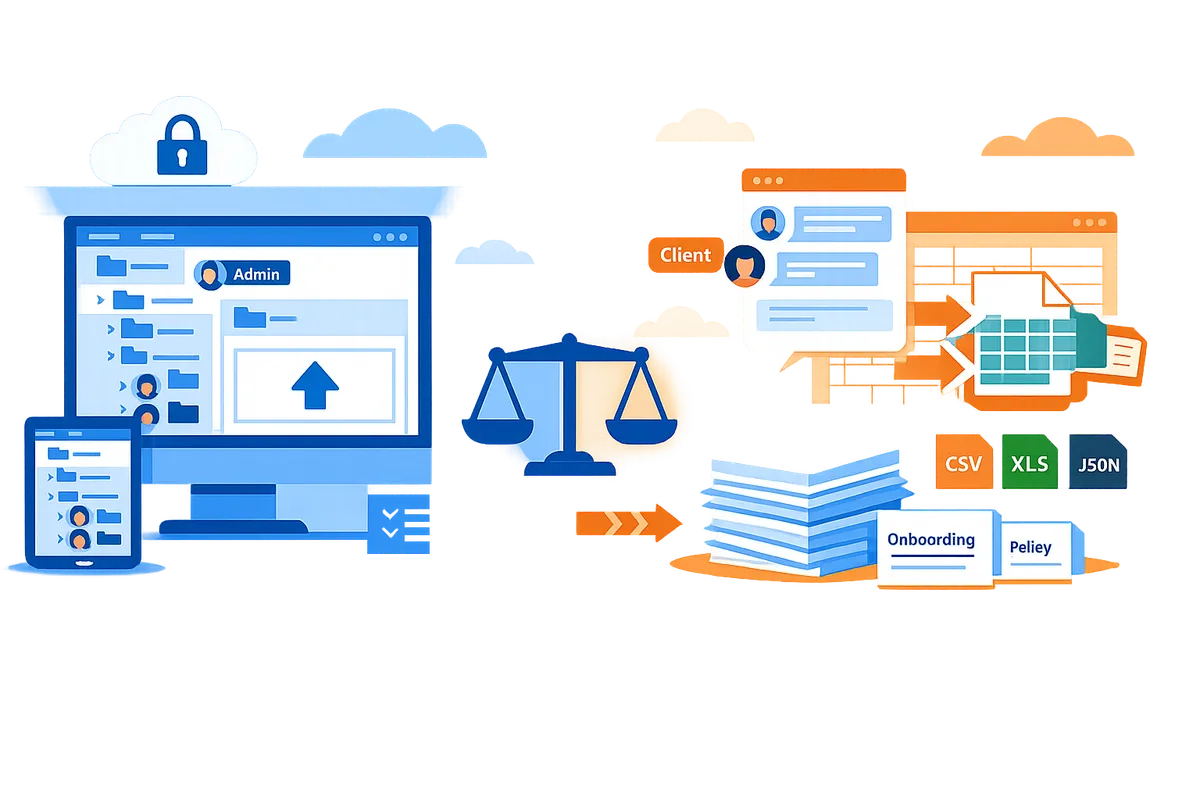
A multi-tenant client portal is a platform that hosts separate client workspaces on a single software instance while preserving data isolation and shared administration. This model supports direct client uploads into named folders, team accounts with shared workspaces, and per-client audit trails that record who uploaded or processed each file. Rocket Statements supports multi-tenancy with client portals, cloud folders and subfolders, team accounts, and two permission levels (admin and client), so documents live in the right client space and conversion results stay consistent across the firm.
- Secure client uploads. Clients upload PDFs or images directly into their folder, reducing emailed attachments and misplaced files.
- PDF-to-spreadsheet conversion. Rocket Statements converts bank PDFs and images to CSV, Excel, or JSON and recognizes bank formats automatically without template setup.
- Balance validation. The platform validates extracted transactions against the printed balances so extraction errors surface instead of passing silently.
- Exports and integrations. Exports include CSV, Excel, JSON, and QuickBooks-compatible files; Google Sheets and Excel add-ons push converted rows directly into a workbook.
See our guide to using a client portal for accounting firms for implementation and ROI considerations: Client portal for accounting firms. Also read about the client-portal feature set: Client Portals for Collecting Bank Statements & Financial Documents.
What is ChatGPT/Claude when used for statement extraction? 🤖
ChatGPT and Claude are general AI chat tools that can convert pasted text or uploaded images into structured output but do not provide managed multi-tenant workflows or persistent, foldered client portals. Typical one-off flows involve pasting statement text or an image, prompting the model for CSV rows, and then manually correcting column order, dates, and tags.
- Secure client uploads. Chat interfaces offer no built-in client foldering or firm-level audit trails; storing original PDFs in a secure, central location remains your responsibility.
- PDF-to-spreadsheet conversion. These tools can produce CSV-like output but often return inconsistent column orders and require manual reformatting before import.
- Balance validation. General chat tools do not run balance reconciliations automatically, so balance mismatches can slip through unnoticed.
- Exports. Output formats vary and typically need manual shaping to match accounting imports.
⚠️ Warning: Avoid pasting full client statements containing personal data into public or poorly governed chat tools. They do not provide the same document controls or bank-level 256-bit encryption that managed portals do.
For a focused comparison of prompt-based extraction versus managed workflows, see: ChatGPT Bank Statement to CSV vs Managed Workflow.
What is an in-house DIY workflow? 🛠️
A DIY in-house workflow is a custom system your firm builds to accept uploads, parse statements, and output spreadsheets, but it requires ongoing maintenance, QA, and governance. Firms that choose this path gain control over every step but take on recurring costs for development, template upkeep for different bank formats, and hosting or secure storage responsibilities.
- Secure client uploads. You must implement and maintain secure upload endpoints, access logging, retention rules, and encryption controls to meet compliance needs.
- PDF-to-spreadsheet conversion. Maintaining parsers or OCR pipelines for dozens of bank layouts creates continuous template work and periodic accuracy regressions.
- Balance validation. Building reliable reconciliation checks requires testing against many statement edge cases and embedding error handling into operations.
- Exports and automation. You control export formats, but connecting reliably to firm tools (Google Sheets, desktop Excel workflows) and producing QuickBooks-compatible files takes development and testing.
When you weigh costs, consider the non-billable hours spent fixing extraction errors, the staff time for QA, and the governance overhead to prove audit trails during client reviews. For firms that prefer not to build and maintain these pieces, a managed portal that centralizes uploads, conversion, validation, and exports can cut recurring operational risk. Learn more about the converter options and import pain points in: Bank Statement Converter for Accounting Firms and our tax-preparer workflow notes: Bank Statements to Excel for Tax Preparers.
Side-by-side task comparison
| Option | Secure client uploads | PDF-to-spreadsheet conversion | Balance validation | Multi-client organization | Export formats | Best for |
|---|---|---|---|---|---|---|
| Managed multi-tenant client portal (Rocket Statements) | Direct client uploads into folders, audit trails and team accounts | Automatic PDF/image conversion, bank-format recognition | Built-in validation against statement balances | Folders, subfolders, client workspaces | CSV, Excel, JSON, QuickBooks-compatible, Google Sheets/Excel add-ons | Firms with many clients needing repeatable, auditable workflows |
| AI chat tools (ChatGPT, Claude) | No persistent client folders or firm audit trail | One-off conversions; manual cleanup typically required | Not automatic; manual checks required | None; files must be managed separately | Ad hoc CSV/text output; manual reshaping needed | Small ad hoc jobs or quick experiments |
| In-house DIY workflow | Requires implementing secure uploads and retention rules | Fully custom parsers but needs ongoing template upkeep | Requires building and testing reconciliation checks | Custom organization possible but adds governance burden | Custom exports possible with dev effort | Firms wanting full control and willing to staff development |

How do client portals like Rocket Statements and ChatGPT/Claude compare for bank statement PDFs?
Managed client portals such as Rocket Statements give firms repeatable, foldered PDF-to-spreadsheet conversion with balance validation, while ChatGPT and Claude produce one-off extractions without built-in multi-tenant controls or consistent exports. Firms with many clients need consistent outputs, per-client folders, and auditability to avoid repeated cleanup and reconciliation. The table and following sections compare these approaches across the operational criteria that matter to accounting and bookkeeping teams.
Comparison table: feature-by-feature evaluation 🧾
This table compares managed client portals (Rocket Statements), AI chat tools (ChatGPT/Claude), and DIY systems across items firms care about.
| Criteria | Rocket Statements (managed portal) | ChatGPT / Claude (AI chat) | DIY system (custom build) |
|---|---|---|---|
| Multi-tenancy | Built-in multi-tenant client portals and team accounts. | None; single-user chat sessions by design. | Possible, but requires engineering and ongoing maintenance. |
| Client upload workflow | Direct client uploads to named client folders and portals. | No native client upload flow; requires manual file sharing. | Custom uploads possible; needs secure UX and routing design. |
| Foldered storage | Cloud folders and subfolders with sharing. | No organized storage; chat history is not a client folder model. | Depends on implementation; adds storage costs and retention policy work. |
| Balance validation | Validates extracted transactions against printed statement balances. | No automatic balance reconciliation. | Can be added, but requires development and testing. |
| Exports (CSV/Excel/JSON/QuickBooks-compatible) | Exports CSV, Excel, JSON, and QuickBooks-compatible files for manual import. | Outputs text or CSV via prompts; inconsistent column order. | Flexible export formats, but needs mapping maintenance. |
| Google Sheets & Excel add-ons | Google Sheets add-on and Excel add-on that write header + rows into sheets. | No official add-ons; requires copy-paste or custom scripts. | Can build add-ins; increased development and support burden. |
| Team collaboration | Team accounts with shared workspace and processing status. | Collaboration via shared chat links only. | Varies; typically requires collaboration tooling integration. |
| Admin / client permissions | Two permission levels: admin and client. | No permission model for firm-controlled uploads. | Can implement RBAC, but complexity grows with tenants. |
| Encryption | Bank-level encryption for stored documents. | Depends on provider plan; chat transcripts may be stored. | Can enforce encryption, but requires compliance work. |
| Audit trails | Activity logs and status tracking inside the portal. | No firm-grade audit trail for document handling. | Possible, but log integrity and retention are developer responsibilities. |
| Operational overhead | Low for day-to-day users; product handles processing and updates. | Low upfront but high downstream cleanup work. | High: build, test, host, and maintain conversions and workflows. |
How do accuracy and validation differ? 🔍
Managed workflows like Rocket Statements validate extracted transactions against statement balances so errors surface before import, while ChatGPT and Claude typically do not perform automatic balance reconciliation. Balance reconciliation prevents silent extraction errors that add hours to month-end closes; for example, a single misread debit amount can trigger a client query and two hours of detective work. Rocket Statements flags mismatches so teams catch and correct extraction issues before importing into QuickBooks-compatible files or spreadsheets. DIY systems can match Rocket Statements' validation, but firms must allocate engineering time to build, test, and maintain reconciliation logic and the QA workflows that follow.
How do exports and add-ons affect daily work? 📤
Direct exports and add-ons reduce repetitive copy-paste by writing a header row plus extracted transaction rows into Google Sheets or an Excel workbook. Rocket Statements' Google Sheets add-on and Microsoft Excel add-on both place a single header row followed by clean transaction rows, which saves preparers 10–30 minutes per statement previously spent standardizing columns and dates. In contrast, ChatGPT or Claude often output variable column orders, inconsistent date formats, and extra narrative, forcing manual normalization before import. Firms that use our Google Sheets integration or the Excel add-on see fewer import errors because the exported files match the consistent schema their bookkeepers expect.
💡 Tip: Use the Google Sheets add-on when multiple preparers need read/write access; it preserves a single source of truth and reduces duplicate edits.
For a practical walkthrough of portal-based uploads and the business case for reducing manual entry, see our client portal for accounting firms and the comparison post ChatGPT Bank Statement to CSV vs Managed Workflow.
How do security, auditability, and multi-tenant controls compare? 🔒
Managed portals like Rocket Statements provide folder-level storage, admin/client permissioning, encryption, and activity logs; chat tools lack organized firm-level document storage and audit trails. Rocket Statements protects stored documents with bank-level 256-bit encryption and offers team accounts so staff share a controlled workspace; permissioning is limited to admin and client roles, which simplifies setup but does not provide granular role tiers. ChatGPT and Claude do not offer a native client-portal model or per-client folders, which raises compliance and retention risks when firms use them for client PDFs. DIY solutions can meet strict audit and retention requirements, but firms incur ongoing costs for secure storage, tamper-evident logs, and compliance documentation.
⚠️ Warning: Avoid uploading client financial PDFs into public chat tools without a written confidentiality agreement and a documented retention policy.
For migration and operational playbooks that cover onboarding, offboarding, and tenant segregation, review our Client Portals for Collecting Bank Statements & Financial Documents and the bank statement converter guide for accounting firms.
Which option should a firm choose and how should they implement it?
Firms handling many client statements should choose a managed, multi-tenant client-portal workflow such as Rocket Statements and implement it with a staged migration and an operational playbook. A managed portal reduces repetitive cleanup, enforces consistent export formats, and provides auditable folders and roles that support compliance.
Step-by-step migration checklist 🛠️
Use this numbered migration checklist to move from ad-hoc or single-tenant processes to a multi-tenant client-portal workflow.
- Audit volumes and formats. Record monthly statement counts, common banks, and file types (PDF, JPG, PNG). This baseline quantifies time savings later.
- Map client folders and permissions. Define folder hierarchies, which users are admins, and which are clients. Map any subfolders you need for tax years or entity types.
- Pilot Rocket Statements with a subset of clients. Run 20 to 50 representative pages through the portal to confirm column formats and balance validation for your common banks. Use the pilot to lock naming conventions.
- Train staff on add-ons. Teach accountants to use the Google Sheets add-on and the Microsoft Excel add-on so conversions import directly into sheets with one click. Link training to sample import/export steps.
- Update intake forms and client communications. Replace email attachments with a portal upload URL and publish short instructions for file naming and acceptable formats.
- Enforce export and naming standards. Publish a one-page import spec for CSV and Excel exports so bookkeeping imports need minimal cleanup.
See our client portal for accounting firms guide for more on intake and expected time savings.
Operational playbook: daily processing and exception handling ⚙️
A daily playbook should assign clear roles for intake, conversion review, balance-exception triage, and standardized exports.
- Intake. Clients upload to their portal folders or admins place client-supplied PDFs in the correct subfolder. Rocket Statements stores files in client folders so your team sees the same source material.
- Conversion review. A reviewer checks the balance-validation flag on each conversion before export. If the flag clears, export CSV or Excel with the firm naming convention and move the original PDF to an "archived" subfolder.
- Exception triage. For balance mismatches, re-run conversion, request a higher-quality scan from the client, or mark the file for manual reconciliation. Track each exception with a ticket ID and timestamps for auditability.
- Exports and imports. Standardize CSV/Excel headers and mapping templates for QuickBooks-compatible imports and Google Sheets workflows. The Excel add-on writes a header row followed by extracted transactions so import steps remain consistent.
💡 Tip: Use a single, consistent client folder naming convention from day one to avoid duplicate client workspaces.
Estimated time, cost trade-offs, and simple ROI scenarios 💰
A managed workflow typically reduces staff review and cleanup time per statement versus manual transcription or one-off AI chat exports. For example, use this illustrative scenario to estimate ROI.
- Manual baseline. If your firm spends about two hours per client per month converting statements, 100 statements require roughly 200 staff hours. This matches the average in our client portal for accounting firms guide.
- Managed-workflow example. With Rocket Statements, a conversion-plus-review flow can reduce per-statement staff time to review and exception handling only. If review time falls to 0.5 hours per statement, the same 100 statements need about 50 hours.
- Simple ROI math. That difference is 150 hours saved per 100 statements. At your effective hourly cost or billable rate, multiply hours saved to see payback versus subscription or pay-as-you-go costs. Choose pay-as-you-go for low, irregular volumes and subscription plans when monthly volume is predictable.
Compare this with ChatGPT bank statement CSV vs managed workflow to see where one-off extracts create follow-up rework and inconsistent columns.
Security and compliance considerations during onboarding 🔒
Before migrating client PDFs to a cloud portal, document encryption, access controls, retention rules, and an offboarding process and verify them.
- Verify encryption and storage. Rocket Statements stores documents in the cloud and protects them with bank-level 256-bit encryption. Record where backups live and how long you will retain source PDFs per client agreements.
- Access model. Use the two permission levels, admin and client, to limit uploads and downloads. Document which staff accounts are admins and require single sign-on or two-factor where possible.
- Retention and offboarding. Publish a retention schedule, export procedures, and a documented offboarding checklist that covers exporting client PDFs, deleting portal copies, and updating sharing links.
- Audit trails. Keep a log of uploads, downloads, conversions, and exception resolutions for compliance reviews. Include how long you store logs and who reviews them.
⚠️ Warning: Do not assume one-off AI outputs are reconciled; always check statement balances before importing transactions into client books.
Frequently Asked Questions
This FAQ addresses the operational and accuracy trade-offs between managed client portals and one-off AI chat tools for converting bank statement PDFs. Use these answers to decide whether a multi-tenant workflow for firms handling many client statements fits your firm's volume, compliance, and staffing needs.
How accurate is OCR for bank statements? 🧐
OCR accuracy for bank statements depends primarily on whether the file is a native PDF or a scanned image, the scan resolution, and how consistent the bank's statement layout is. Native PDFs that contain embedded text almost always produce far fewer extraction errors than low-resolution scans. Consistent bank formats let automated format recognition identify columns reliably; documents with handwritten annotations, torn margins, or nonstandard layouts raise error rates. Managed workflows that include automatic format recognition and balance reconciliation reduce silent errors by catching mismatches before data enters accounting systems. For more on how portals reduce manual rework, see our client portal for accounting firms.
💡 Tip: Whenever possible ask clients to upload native PDF downloads from their bank rather than photographed images. Native PDFs cut cleanup time and lower extraction failures.
Can ChatGPT or Claude produce a clean bank statement CSV reliably? 🤖
ChatGPT and Claude can produce a CSV, but they frequently produce inconsistent columns and require manual cleanup before use in production. Generic chat tools do not provide balance reconciliation or centralized file storage, so errors can pass through undetected when you scale beyond a handful of statements. Use chat outputs for quick, low-volume checks or one-off troubleshooting, not as the primary intake method for dozens of clients. For a side-by-side look at this trade-off, read our ChatGPT Bank Statement to CSV vs Managed Workflow comparison.
Does Rocket Statements validate extracted transactions against statement balances? ✅
Yes. Rocket Statements validates extracted transactions by reconciling them against the balances printed on each statement so extraction errors surface before import. That validation makes it easier to spot misread lines, omitted rows, or misclassified credits and debits before your team imports data into accounting software. The reconciliation step pairs with consistent export formats (CSV, Excel, JSON, QuickBooks-compatible files) so downstream imports require less manual correction. See the bank statement converter overview for export details.
Can clients upload statements directly and securely? 🔒
Yes. Rocket Statements supports client portals and foldered uploads so clients place files directly into the correct client workspace. The platform stores documents in cloud folders and subfolders, preserves sharing controls, and enforces two permission levels (admin and client) so files land where your team expects them. Documents are protected with bank-level 256-bit encryption while stored, which reduces the compliance risk of ad hoc file sharing by email or unmanaged drives. Learn more about secure uploads in our Client Portals for Collecting Bank Statements & Financial Documents feature page.
How do the Google Sheets and Excel add-ons change my workflow? ⚙️
The add-ons let you convert statements from inside a spreadsheet and insert a header row plus extracted transactions directly into the workbook with one click. The Google Sheets add-on and the Microsoft Excel add-on remove copy-paste, preserve column order, and avoid reformatting work that typically consumes hours per client. The Excel add-on runs in Excel on the web and signs the user into their Rocket Statements account so the conversion runs on Rocket Statements' servers and writes results back into the sheet. For tax-preparer workflows, see our Bank Statements to Excel for Tax Preparers guide that compares add-on flows and import pain points.
What are the main operational risks of using one-off AI chat tools? ⚠️
The main operational risks are inconsistent column formats, lack of built-in balance reconciliation, missing audit trails, and extra staff time spent cleaning results at scale. Examples include variable date formats across extracts, swapped debit/credit columns, or dropped summary rows that cause reconciliation failures later. Chat tools do not provide centralized storage or foldered client history, so auditability and repeatability suffer when multiple staff members handle the same client. For firms processing many clients, those manual cleanup hours quickly exceed the time saved on a single extraction. For a deeper comparison, read our bank statement converter comparison.
⚠️ Warning: Relying on chat outputs at scale creates hidden reconciliation work that shows up as billable-hour loss during month-end closes.
How quickly can a firm onboard to a multi-tenant client-portal workflow? 🚀
Onboarding time varies with firm size and client volume; a small pilot with a subset of clients usually yields the fastest path to full rollout. A practical phased plan starts with a pilot of 5–15 clients, create folder mappings and naming conventions, train two power users, and migrate older statements in monthly batches. Rocket Statements reduces setup friction because it recognizes bank formats automatically and provides client portals and team accounts, but you should still budget time for client communications and a short internal training runbook. Use the migration checklist in this article to plan a staged rollout that minimizes interruption and measures time-to-value as you expand.
Next steps for choosing a workflow
Adopt a managed, multi-tenant process when you must deliver consistent, balance-validated spreadsheets across dozens of clients. A multi-tenant workflow for firms handling many client statements reduces repeated formatting work and makes extraction errors visible before they reach your reconciliation queues. Manual or one-off AI-chat approaches often shift the burden to staff who then clean inconsistent columns and hunt missing rows, which costs billable hours and raises audit risk; see our comparison of ChatGPT bank statement CSV vs managed workflow for details. For firms that need repeatability and client-facing collection, Rocket Statements is the practical option to evaluate next. Book a demo with Rocket Statements to walk through a live firm workspace and test converting a sample statement from your practice. For more on setting up secure uploads and client routing, review our guide to a client portal for accounting firms and our post on bank statement conversion for accounting firms to compare workflows and expected time savings.