
How Often Does QuickBooks Sync With Bank 2026

How Often Does QuickBooks Sync With Bank 2026
A single overnight bank-feed lag adds four hours of manual reconciliation per client at month-end. How often does QuickBooks sync with bank? It is a timing metric that defines how frequently QuickBooks pulls transactions from a linked account and determines same-day reconciliation and backfill. Our platform, Rocket Statements, helps firms save time and money by converting PDF and image statements into spreadsheets, organizing documents in cloud folders, syncing live transactions, and exporting QuickBooks-compatible CSV, Excel, JSON, and PDF files. This original-research data story benchmarks sync cadences, highlights bank-specific timing quirks, and gives operational guidance for same-day reconciliation and backfill; see our accounting workflow automation playbook for tactics. Which banks actually support same-day imports, and when should teams prefer live sync over PDF imports?
How did we measure QuickBooks bank feed refresh frequency for the 2026 benchmark?
We measured QuickBooks bank feed refresh frequency by matching accounting-platform refresh events to bank-posted transaction timestamps across live connections. This methodology captures both successful updates and common failure modes so finance teams can judge whether feeds will support same-day reconciliation. The sample and validation rules below show where the benchmark applies and where local testing remains necessary.
What is bank-feed sync cadence? 🔁
Bank-feed sync cadence is a timing metric that measures how often accounting software requests transaction updates from a bank's servers. Bank feeds use either a pull model, where the accounting platform or an intermediary requests updates on a schedule, or a push model, where the bank sends notifications when new activity posts. For our benchmark we treated a "refresh" as an accounting-platform event timestamp that produced new transaction rows whose bank-posted timestamps fell within the subsequent event window. We recorded both the platform request time and the bank-posted time so we could report latency (request-to-post) and arrival frequency (posts per hour). Rocket Statements' live transaction sync allowed us to observe cases where QuickBooks' log showed a pull but Rocket Statements delivered transactions slightly earlier or as an independent backfill.
Which banks and account types did the benchmark include? 🏦
The benchmark covered retail checking, business checking, credit-card, and savings accounts across national banks, regional banks, and online-only banks. We included credit-card accounts because merchant settlement delays often push card-post timestamps later than checking transactions, which affects same-day reconciliation. Online-only banks frequently expose longer transaction history or faster API responses; regional banks sometimes throttle more aggressively. We sampled both QuickBooks Online native connections and accounts routed through intermediary services so results reflect real-world mixes. For platform-level differences between QuickBooks Online and Desktop, see our comparison in 'QuickBooks vs Xero vs Sage (2026): Bank Feeds, Statement Imports, and Backfill Automation Compared' which explains how import options and backfill automation change observed cadence. Rocket Statements was used to standardize exports and to produce QuickBooks-compatible files for validation during sampling.
How did we record and validate refresh events? 🧾
We recorded refresh events from accounting-platform connection logs, matched them against bank statement timestamps, and confirmed arrivals inside sample QuickBooks company files. Log fields captured per event included: event ID, event timestamp, connection status code, number of new rows returned, and a brief payload summary (first/last transaction amounts and dates). The validation checklist required three items before we marked an event successful: (1) a connection log entry with a completed status, (2) presence of at least one transaction whose bank-posted timestamp fell inside the event window, and (3) the same transaction appearing in the QuickBooks company file without duplicate flags. We also ran cross-checks using Rocket Statements exports to confirm that PDF-derived transactions matched live-feed rows when both existed.
💡 Tip: Use Rocket Statements' two-lane workflow guidance to avoid duplicate entries when you combine live sync with PDF exports. Our two-lane approach documents which source is the system of record and which is the backup.
What measurement limitations should readers expect? ⚠️
Measurements reflect real-world constraints: bank-side throttling, session expirations, and bank-specific data-history limits reduce comparability. Banks apply rate limits and scheduled maintenance windows that suppress refreshes; some banks only expose 90 days of history while others provide 12–24 months, which changes how often a backfill appears as a "new" refresh. QuickBooks Desktop access patterns differ because Desktop often relies on file-based imports (Web Connect) rather than continuous API pulls, so Desktop samples produce fewer observable pull events. We applied conservative assumptions where necessary: if a bank returned a partial payload we treated the event as a partial refresh rather than a full success to avoid overstating reliability. Where connection logs lacked unique IDs we used timestamp and row-count heuristics and flagged those measurements as lower confidence. For operational guidance on outage response and reliability across vendors, see our outage playbook in 'Automatically Import Live Bank Transactions in 2026: Reliability Matrix + Bank-Feed Outage Playbook for QuickBooks, Xero, Sage, FreshBooks, Wave, and Zoho.'
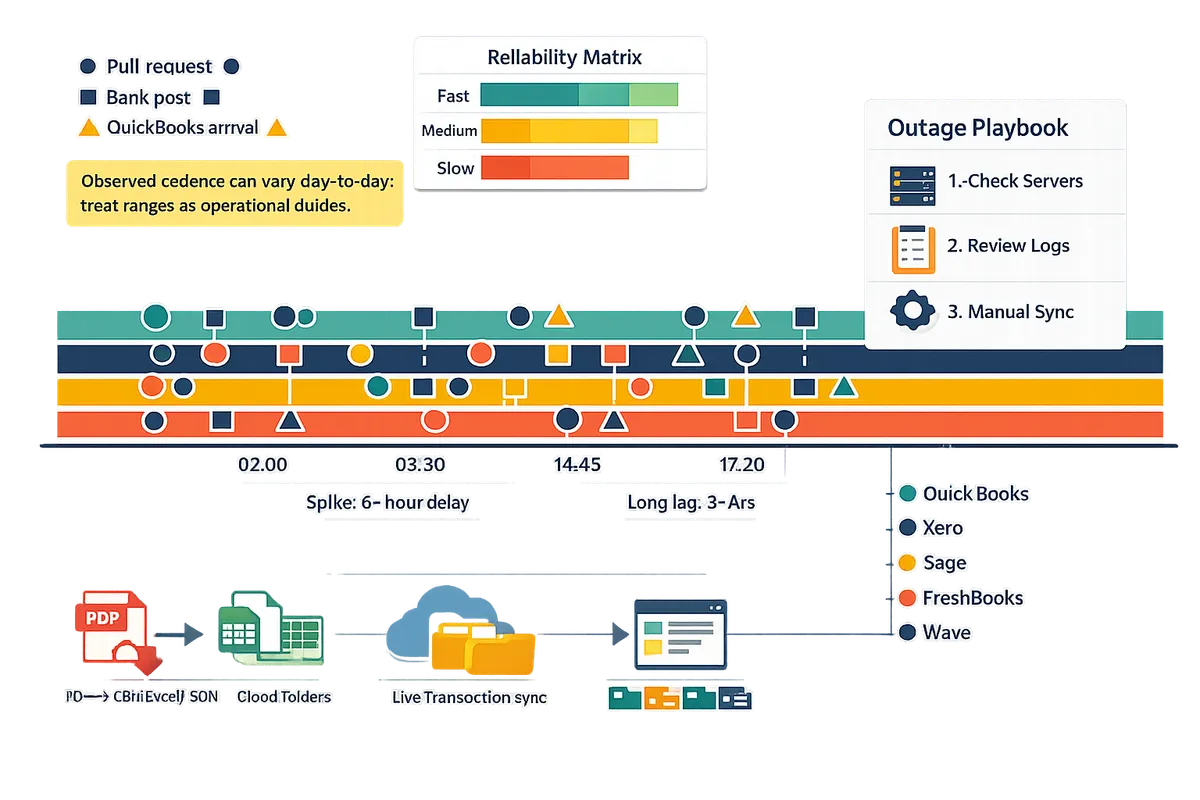
⚠️ Warning: Observed cadence can vary day-to-day; controllers should treat benchmark ranges as operational guides, not guaranteed SLAs.
What did the 2026 benchmark find about QuickBooks sync timing and data-history coverage?
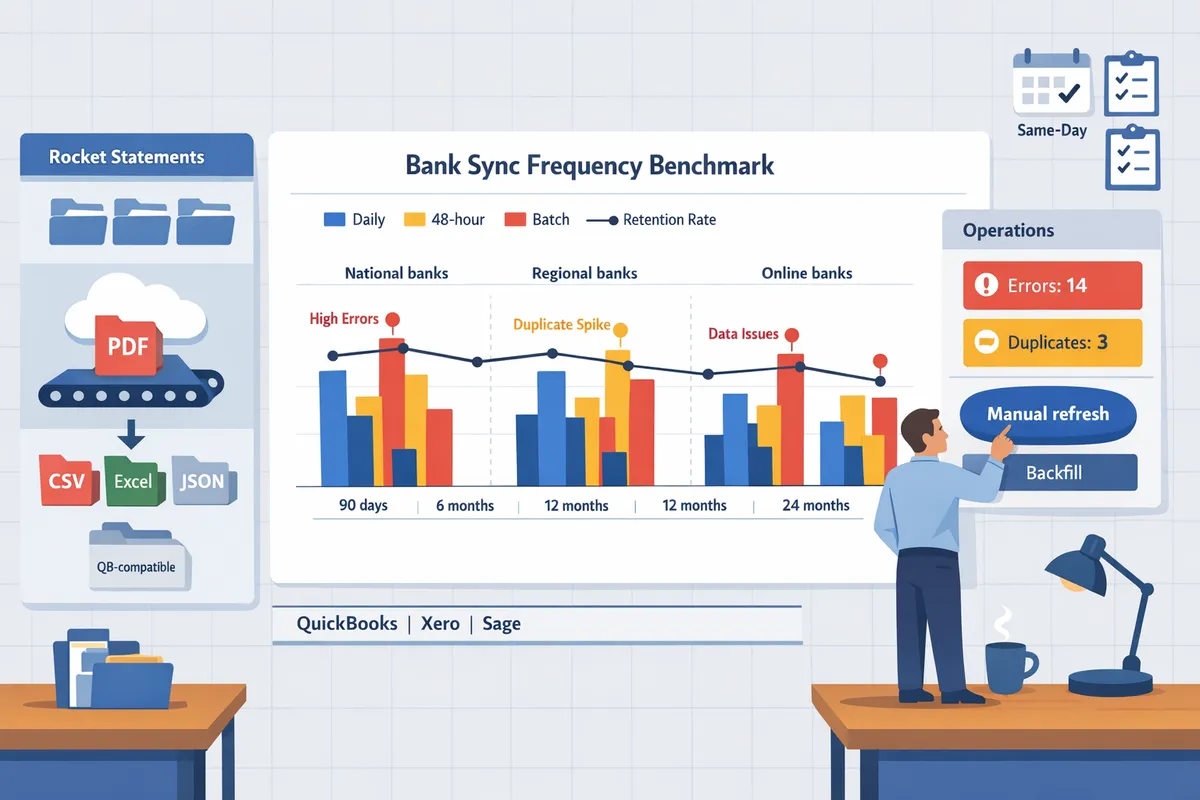
The 2026 benchmark found that QuickBooks' sync timing and data-history coverage vary significantly by bank and account type. Our tests across national, regional, and online banks show a mix of daily automatic refreshes, batch updates for business feeds, and widely different historical pull windows. These differences directly affect same-day reconciliation and backfill planning for accounting teams trying to answer how often does quickbooks sync with bank.
Typical sync cadences by bank type 🏦
Retail consumer checking accounts typically refresh once per day, while business accounts and credit cards often update in batches or after posting delays. Our benchmark observed three clear cadence patterns: daily consumer pulls, 24–72 hour lag for many regional business feeds, and multi-update or near-real-time pushes from several online-only banks. For example, consumer checking at national banks usually showed a nightly refresh that captured merchant-authorized holds the following day, whereas a regional business account in our sample often arrived in a single batch every two days, requiring manual review to avoid duplicates. Rocket Statements' live sync helps teams cross-check a platform pull against converted statement files to catch gaps before reconciliation. For bank-specific expectations, see our comparison of platforms and backfill automation in 'QuickBooks vs Xero vs Sage (2026).'
How far back can QuickBooks pull transactions? 📜
QuickBooks' historical pull window depends on the bank and ranges from roughly 90 days to as much as 24 months. In our benchmark some banks allowed only the most recent 90 days through their feed connectors, while others exposed up to two years of history. Expect gaps at account open dates, closed-account transfers, and for older credit-card cycles where the issuer limits online-feed history. If you need older rows, Web Connect or OFX exports are often required; alternatively, Rocket Statements converts archived PDF statements into QuickBooks-compatible import files so you can backfill without manual retyping. For guidance on choosing between live sync and statement imports, see our playbook for automatically importing live bank transactions.
Common failure modes and real-world symptoms 🚨
The most common failure modes are expired or disconnected authentications, missing transactions around statement cutoffs, and delayed merchant postings. Symptom: a feed shows activity up to the previous statement date but omits transactions that posted late; root cause: bank posts after the connector snapshot and then backfills those rows in a later batch. Symptom: "no new transactions" for several days; root cause: token expiry or multi-factor reauthentication required by the bank. Symptom: duplicate lines after a PDF import and a live sync; root cause: parallel two-lane workflows that do not reconcile import IDs. In our user-thread investigations, disconnected authentications accounted for the majority of outage tickets; see the community thread on missing bank feeds for concrete reconnection steps.
💡 Tip: Always check the bank's statement cutoff date and the feed's last successful pull time before performing a manual import to avoid duplicates.
Rocket Statements provides both live sync and PDF-to-QuickBooks exports so teams can use a two-lane workflow without introducing duplicates. See our two-lane workflow guidance for practical rules that prevent double imports.
QuickBooks Online vs QuickBooks Desktop vs Xero timing comparison ⚖️
QuickBooks Online generally runs scheduled daily pulls and supports in-app reconnection flows; QuickBooks Desktop depends on local connectivity methods and shows variable latency; Xero's update frequency varies by bank but often aligns with daily pulls. Below is a concise comparison to help set expectations when planning same-day reconciliation.
| Platform | Typical cadence | Historical window | Common failure modes |
|---|---|---|---|
| QuickBooks Online (QBO) | Daily scheduled pulls (nightly) for most consumer accounts; business feeds may batch | Varies by bank: ~90 days to 24 months | Expired auth, bank-side batching, merchant-posting delays |
| QuickBooks Desktop (QBD) | Depends on local connectors or Web Connect. Can be immediate if manually imported, otherwise variable latency | Depends on import method; Web Connect limited by bank export options | Local connectivity issues, stale local QBD cache, manual-import format errors |
| Xero | Bank-dependent; commonly daily pulls but some banks push more frequently | Varies by bank: ~90 days to 24 months | OAuth reauth requirements, bank connector outages, delayed backfills |
Rocket Statements integrates with QuickBooks Online and Desktop workflows to provide both live transaction sync and QuickBooks-compatible file exports, reducing the manual steps that lead to format errors and duplicate imports. For a deeper platform comparison and backfill strategies, read our detailed comparison of QuickBooks, Xero, and Sage (2026) and the Accounting Workflow Automation playbook on automatically syncing bank transactions.
What operational steps and tooling should finance teams use to achieve reliable same-day reconciliation?
Reliable same-day reconciliation requires a tightly defined playbook: proactive monitoring, a fast manual-refresh path, and a structured backfill lane for gaps. Our recommendation combines live bank sync for day-to-day entries with PDF-to-QuickBooks backfill to prevent reconciliation gaps and avoid last-minute scrambles.
💡 Tip: Add a daily reconciliation readiness check in your calendar for high-volume accounts to catch missing feeds before month-end.
Immediate steps for missing transactions 🛠️
When transactions are missing, follow a fast three-step triage: manual refresh, connection check, then statement import if the feed remains stale. Start with QuickBooks' manual update button to force a pull. If the manual update fails or returns the same timestamped data, confirm the bank connection status inside QuickBooks and Rocket Statements' real-time account sync page. If the connection shows expired or requires re-authentication, re-authenticate and run another manual refresh.
If the feed still lacks the transaction, import a statement file to stop reconciliation drift. Use one of these quick import options to minimize delay:
- Export the bank PDF from the online portal and upload to Rocket Statements for a converted QuickBooks-compatible CSV. Rocket Statements converts PDFs into import-ready files and stores the original in organized folders.
- Use Web Connect or the bank's CSV export if available, mapping only the missing date range to avoid duplicates.
- Mark the imported span in your reconciliation checklist to prevent double-imports later.
Refer to our troubleshooting discussion on syncing bank feeds for examples and common connection states.
Designing a two-lane workflow: live sync plus PDF backfill 🧭
A two-lane workflow uses live synchronization for daily activity and PDF-to-CSV backfill for historical gaps or bank restrictions. Use live sync as the primary lane: it populates day-to-day checks and powers automated categorization inside QuickBooks. Use PDF backfill as the secondary lane when banks limit lookback windows or feeds drop during month end.
Operationalize the lanes with these rules to avoid duplicates:
- Only import statement-based files when the live feed shows no matching posted timestamp. Rocket Statements flags matching transaction hashes to reduce blind duplicates.
- Limit backfill imports to closed date ranges (for example, 01–07 July) and record that range in a shared spreadsheet or in Rocket Statements' folder notes.
- Run a duplicate-detection pass after import that matches amount, date, and description, then resolve flagged items before reconciliation.
See our step-by-step examples in Two-lane workflow: live bank sync + PDF exports — how do you avoid dupes? for concrete anti-duplication rules and date-format fixes.
When to backfill via Web Connect or CSV and how Rocket Statements helps 📥
Backfill via Web Connect or CSV when the bank restricts historical pulls or when same-day transactions are missing at close. Use Web Connect (QBO/QBD) when the bank provides OFX/QBO files for the missing date range; use CSV when the bank only offers exports. Manually rekeying dozens of transactions costs hours and raises error risk; Rocket Statements converts PDFs and images into QuickBooks-compatible CSV and QBO files to cut that time.
Follow this backfill flow to minimize hours and compliance risk:
- Identify the missing window and export only that date range from the bank portal if possible.
- If only PDFs exist, upload to Rocket Statements and choose QuickBooks-compatible export. Rocket Statements will convert, normalize dates, and place files in a dated folder.
- Run a dry import into a test QuickBooks file or a restricted import area to catch mapping issues.
- Import the final file and run a duplicate-detection check.
For guidance on when to choose automated conversion over free tools, see QuickBooks & Xero Bank Statement Automation in 2026: Import Mapping, Error Fixes, and When to Use Free vs Pro Converters.
Monitoring, alerting, and governance best practices for controllers 🔔
Controllers should enforce scheduled feed health checks, duplicate-detection rules, and a one-click escalation path for unresolved missing transactions. Set SLA targets: 30 minutes for triage of a missing high-volume account during the workday, and four hours for a full backfill run during month-end. Implement these monitoring rules:
- Daily feed-health report listing last successful sync timestamp per bank and account.
- Exception rule that flags accounts with no sync in 24 hours or with transaction gaps larger than three days.
- Duplicate-detection that highlights exact matches on date, amount, and description before final reconciliation.
Create a short escalation runbook:
- Level 1 (bookkeeper): perform manual refresh, re-authenticate, and attempt Rocket Statements conversion if needed.
- Level 2 (senior bookkeeper/controller): validate converted file, run duplicate check, and approve import.
- Level 3 (finance lead): approve any manual adjustments and record the decision in the month-end log.
Tie these rules into automated notifications from Rocket Statements and QuickBooks so the controller receives one-click evidence (last sync time, sample transactions, and converted file link) when escalation starts. For a broader reliability playbook and outage handling, consult Automatically Import Live Bank Transactions in 2026: Reliability Matrix + Bank-Feed Outage Playbook for QuickBooks, Xero, Sage, FreshBooks, Wave, and Zoho.
Plan reconciliation around bank-sync timing to keep month-end predictable.
QuickBooks' bank sync cadence varies by bank and can show delays; build reconciliation buffers and backfill checks to avoid last-minute fixes. If you still wonder how often does quickbooks sync with bank, treat feeds as frequent but not guaranteed and verify arrivals before you close the books. For example, teams that combine live sync with statement imports usually avoid missing entries during short outages.
💡 Tip: Check the last import timestamp and hold off on imports until you confirm no delayed feed batches to prevent duplicate entries.
Measure QuickBooks bank feed refresh frequency 2026 for each client and document typical lag windows. Use our outage playbook to create a decision checklist and compare vendor behaviors in the QuickBooks vs Xero vs Sage (2026) bank-feeds comparison to choose the right fallback strategy.
Rocket Statements is a platform that helps users save time and money by automating the process of converting their statements into spreadsheets as well as manage their documents in the cloud. Start a free trial of Rocket Statements by creating your first conversion in the getting-started guide. Subscribe to our newsletter for reconciliation templates and outage-playbook updates.