
Bank Statement Converter Pricing

Bank Statement Converter Pricing
A single misread transaction in a PDF bank statement can cost an accounting firm two hours of reconciliation. Comparing bank statement converter pricing helps firms estimate monthly costs and pick vendors like Rocket Statements. A bank statement converter is a tool that converts user-supplied PDF and image statements into structured, spreadsheet-ready transaction data. Our bank statement converter focuses on PDF-to-spreadsheet conversion, exports CSV, Excel, JSON and QuickBooks-compatible files, and validates extracted transactions against statement balances. Because Rocket Statements stores documents in cloud folders, offers client portals, and provides Google Sheets and Excel add-ins, firms keep formats consistent and avoid manual imports. Below we model monthly costs for firms handling 50–1,000 pages and compare pricing models; review scenarios on our pricing page to judge vendor fit.
What pricing models do bank statement converters use and how do they differ?
Bank statement converters use four common pricing models: per-page, per-statement, per-user (seat), and monthly subscription bundles, and each model shifts the main cost drivers toward page count, statement complexity, team size, or predictable volume. Vendors also hide effective costs with monthly caps, overage fees, export limits, and account features that change the math. Knowing which variables matter to your workflow lets you estimate real monthly spend instead of relying on headline rates.
Per-page pricing 📄
Per-page pricing charges a fee for each converted page and scales linearly with document length. Vendors typically count physical pages in the uploaded PDF or image, so two-sided statements, scanned images with extra blank pages, or bank statements split across multiple PDFs all increase cost. Example: a firm processing 1,000 pages per month pays $100 at $0.10/page but $250 at $0.25/page; a shift from single-page statements to multi-page statements can raise monthly costs by 50% or more. Rocket Statements supports pay-as-you-go workflows and lets you estimate page usage before committing to a plan. Watch for hidden items that change per-page math: minimum page charges, page rounding (partial pages billed as full), and whether image preprocessing pages count toward your total.
💡 Tip: Ask vendors whether appended cover pages, signed receipts, or OCR-error retry pages count as billable pages; this often explains unexpected overages.
Per-statement pricing 🧾
Per-statement pricing charges a flat fee for each uploaded statement file regardless of page count. This model is cheaper when you handle many single-page statements, such as credit-card accounts with one-page monthly PDFs. It becomes costly when client statements routinely exceed one page (mortgage accounts, corporate accounts, multi-month PDFs) because a 10-page statement costs the same as ten 1-page statements under per-page pricing. Use a quick audit: if your average pages-per-statement is above four, per-statement pricing often loses its advantage. When evaluating vendors, confirm how they treat zipped batches or multi-account PDFs and whether batch uploads count per file or per embedded statement.
Per-user or per-seat pricing 👥
Per-user pricing charges for each active account or seat and ties cost to team size rather than volume. This model scales predictably for small teams with heavy, dedicated users (for example, a three-person bookkeeping team processing full client loads). Firms with many occasional users or contractors often prefer usage-based models because per-seat fees can pay for idle seats. Consider hybrid realities: some vendors permit a mix of seats plus per-page overages. Rocket Statements offers team accounts and client portals that make per-seat math clearer by separating administrative seats from processing seats.
Monthly subscription or bundle pricing 💳
Monthly subscriptions bundle a set allowance of pages or statements for a fixed fee and suit predictable, high-volume workflows that prefer a stable monthly cost. The benefits include easier budgeting, often lower effective per-page rates at scale, and included features like client portals or export formats. Trade-offs include wasted allowance for seasonal firms and potentially expensive overage rates once the allowance is exceeded. Example billing behavior to confirm: whether unused pages roll over, how overage rates are calculated (per-page vs per-statement), and whether exports (CSV, Excel, QBO) count separately toward limits. Rocket Statements lists plan options on the Rocket Statements pricing page and supports teams that want fixed allowances plus predictable exports.
How to compare trade-offs across models 🔍
Choose the model that matches your dominant cost driver: pages, files, heads, or predictable monthly volume. Below is a quick comparison table to extract apples-to-apples costs.
| Pricing model | Best for | Primary cost driver | Hidden variables to check |
|---|---|---|---|
| Per-page | High-volume, consistent page counts | Pages uploaded | Page rounding, image preprocessing, blank pages, retries |
| Per-statement | Many single-page statements | Number of files | Multi-page statements, bundled PDFs, batch counting |
| Per-seat | Small core teams with steady users | Active seats | Idle-seat charges, admin vs processor seats, seat locking |
| Monthly bundle | Predictable, sustained volume | Monthly allowance | Rollover policy, overage rate, feature gating (exports, portals) |
Checklist vendors should disclose for fair comparison:
- Effective price per page at your expected monthly volume (show math for 500, 1,000, 5,000 pages).
- Monthly caps, overage rates, and how they calculate billable pages.
- Export limits or charges for CSV, Excel, JSON, and QuickBooks-compatible files.
- Whether team seats or client portals are included or billed separately.
- Trial allowances and how they count against your first bill.
See our benchmarking guide on bank statement converter features for a deeper checklist of accuracy, onboarding, and security trade-offs and read the pricing page to compare Rocket Statements plans directly. 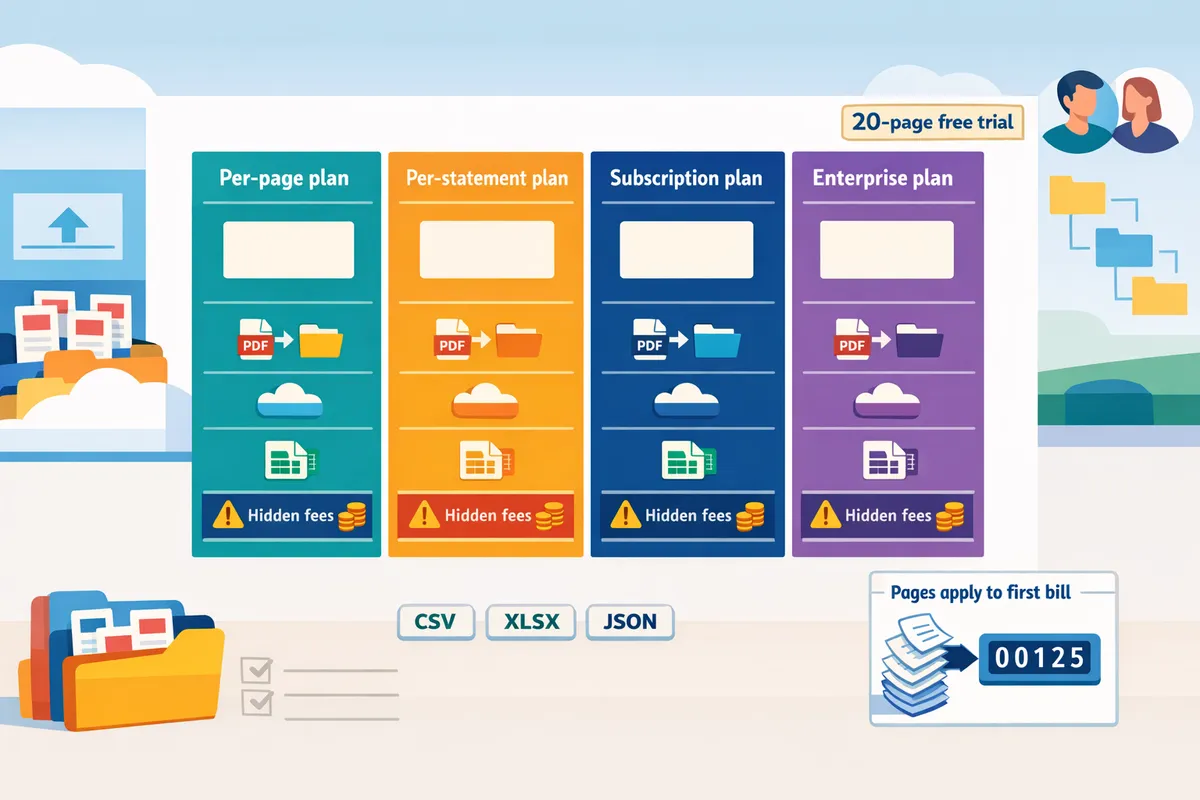
How do I estimate my monthly bank statement conversion cost?
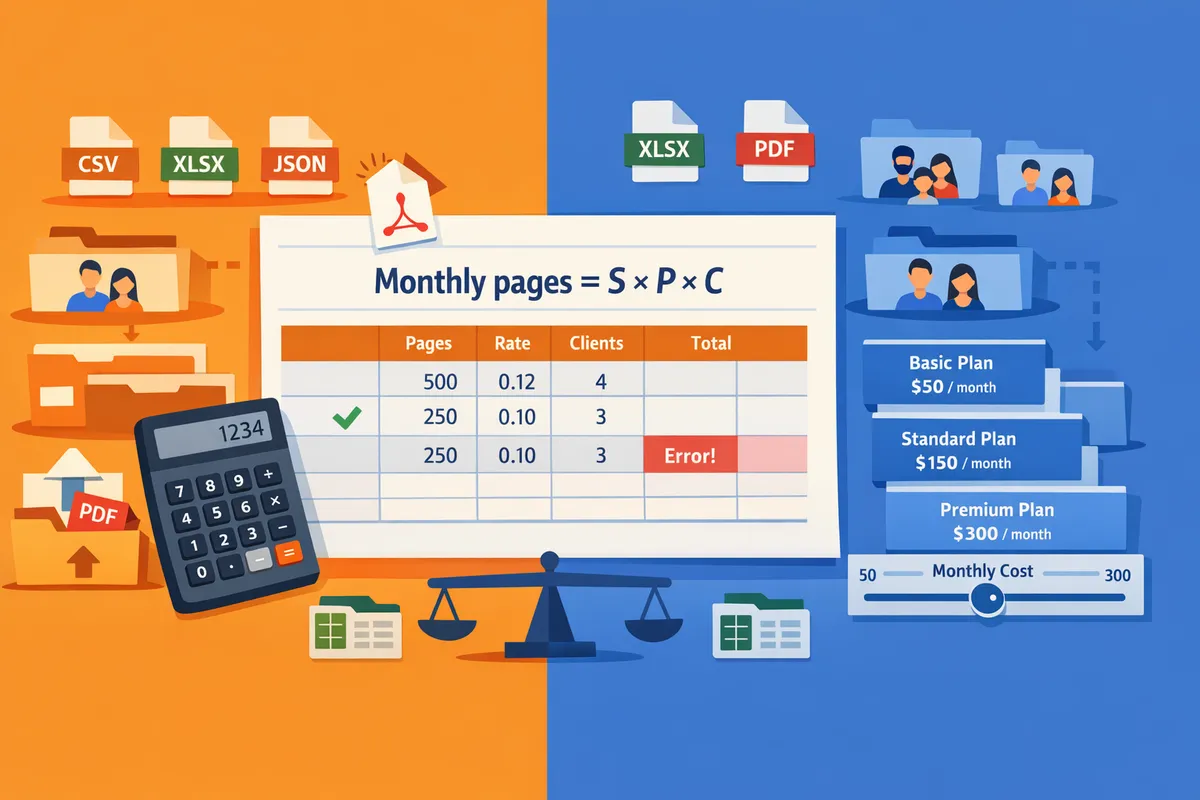
Estimate monthly cost by multiplying the number of statements per client by pages per statement and by clients per month, then applying the vendor's pricing metric (per-page, per-statement, or subscription). This quick calculation shows which pricing model fits your volume and statement mix. Use a pilot run to measure actual pages and cleanup time; see our guide on how to turn PDFs into CSV, Excel, and more for conversion details.
Step-by-step calculation method 🧮
Monthly pages = statements per client × pages per statement × clients per month. Plug your own values for: S = statements per client/month, P = pages per statement, C = clients per month.
Worked example (compact). S = 1, P = 4, C = 20. Monthly pages = 1 × 4 × 20 = 80 pages. If a vendor charges $0.12 per page, cost = 80 × $0.12 = $9.60. If the vendor offers a flat monthly plan instead, compare that flat fee to the per-page total to see which is cheaper.
Rocket Statements fits this workflow by converting your uploaded PDFs and images into spreadsheet-ready files, so you can measure pages and cleanup time before choosing a plan. Read more about the conversion outputs and exports in our Bank Statement Converter overview.
Sample scenarios for bookkeeping firms (small, mid, growing) 📊
Here are three illustrative firm scenarios showing monthly pages and example costs under two per-page rates and one sample subscription fee. These figures are examples to show sensitivity to pages per statement.
| Firm size | Clients | Pages/statement | Monthly pages (S×P×C) | Cost @ $0.12/page | Cost @ $0.25/page | Example subscription ($199/mo) |
|---|---|---|---|---|---|---|
| Small firm | 20 | 4 | 80 | $9.60 | $20.00 | $199 |
| Mid firm | 75 | 6 | 450 | $54.00 | $112.50 | $199 |
| Growing firm | 300 | 8 | 2400 | $288.00 | $600.00 | $199 |
These examples show how per-page costs scale linearly with pages, while a flat subscription becomes relatively cheaper at higher volumes. Use your actual page averages rather than defaults; consolidated statements or credit card bundles often push the pages-per-statement number up.
For a practical walk-through of file outputs and how to import results into spreadsheets, see our Convert Bank Statements to Google Sheets comparison.
Why page-based pricing matters for many statements per client ⚖️
Page-based pricing multiplies your bill when clients submit multi-page statements or consolidated account bundles. For example, 100 clients with 10-page monthly statements equals 1,000 pages; at $0.20 per page that is $200 per month. That same group with single-page statements would cost one tenth as much, so the page count is the main cost driver.
Credit card statements, bundled PDFs that include multiple accounts, and scanned statement packages commonly increase pages per client. Subscription or tiered plans can cap or reduce per-page exposure, so compare your calculated monthly pages to vendor plan limits before buying.
Estimating ROI and total cost of ownership (TCO) 💼
TCO = monthly conversion spend + monthly staff time for manual transcription and error rework − monthly time savings from automation. Use that formula to estimate payback and ongoing savings.
Illustrative ROI model. Take the small firm (80 pages/month). Assume Rocket Statements automation saves 30 minutes of cleanup per statement and your billable/admin rate is $50/hour. Time saved per statement = $25. If you process 20 statements, monthly labor saved = 20 × $25 = $500. Subtract the conversion cost (for example $9.60 at $0.12/page) to get net monthly savings ≈ $490.40. That yields a payback in the first month for the conversion spend.
Rocket Statements reduces manual cleanup by producing validated, spreadsheet-ready exports and storing documents in client folders and portals, which shortens handoffs and reduces rework. Our feature benchmarks show firms often need 4–10 hours per client per month to reconcile OCR errors; run a short pilot to quantify your baseline and projected savings.
💡 Tip: Use Rocket Statements' one-time free trial (20 pages) to run a pilot batch and measure actual rework time before committing to a paid plan.
For a checklist comparing free AI tools versus pro workflows and how cleanup time affects ROI, see our feature benchmarks and checklist.
Which vendor and pricing plan balances cost, accuracy, and workflow for accounting teams?
Rocket Statements provides validated PDF-to-spreadsheet conversions with client workflow features built for firms that run repeat statement conversions. Accounting teams should prioritize predictable per-page economics, balance-level validation that surfaces extraction errors, and multi-tenant client portals because those features reduce billable hours spent on manual cleanup and mapping.
🧾 Side-by-side pricing and workflow comparison
The table below compares common vendor types by pricing model, exports, validation, and workflow features.
| Vendor / Type | Price metric | Effective price per 100 pages (normalized) | Monthly cap & overage | Trial allowance | Export formats | Validation & reconciliation | Client portals / multi‑tenancy | Google Sheets / Excel add‑in | Storage & retention | Security posture | Notes on normalization |
|---|---|---|---|---|---|---|---|---|---|---|---|
| Rocket Statements | Varies; see pricing page | Varies by plan | Varies by plan | Varies by vendor | CSV, Excel, JSON, QuickBooks-compatible files; original PDF re-download available | Reconciles extracted transactions to statement balances and flags extraction errors | Full multi‑tenant client portals and team accounts | Google Sheets add-on and Excel add-in | Cloud folders and sharing | Cloud storage with access controls | Pricing figures omitted here; visit the Rocket Statements pricing page for current rates |
| Free AI OCR tool (no workflow) | Free / pay-per-use credits | $0–$20 | Usually pay-as-you-go; no monthly cap | 1–5 free pages commonly | CSV, basic Excel | Minimal validation; typically no balance-level reconciliation | None | Rare | Ephemeral or user-controlled only | Varies; often lower contractual guarantees | Effective price reflects credit costs for 100 typical pages |
| Per-page bulk converter (low cost) | Per-page | $8–$25 | Per-page only; no subscription | 5–50 sample pages | CSV, Excel | Basic field extraction; limited reconciliation | Basic client folders or none | Usually none | Short-term storage for downloads | Standard encryption; limited compliance features | Normalized by multiplying per-page fee by 100; published discounts applied when available |
| Subscription workflow platform | Subscription (pages included) | $20–$60 | Monthly caps with soft overage or throttled processing | Trial depends on vendor | CSV, Excel, JSON, QuickBooks-compatible files | Strong validation and audit trails | Designed for firms; portals and multi-client management | Often one add‑in | Persistent cloud storage | Compliance-focused and SLAs | Normalized by dividing monthly fee by included pages to estimate cost per 100 pages |
| Accounting software add‑on | Per-user + per-page | $30–$80 | User seat limits; overage per page | Trial depends on vendor | CSV, QuickBooks-compatible files | Varies; often geared to direct import to platform | Integrated with accounting orgs; limited multi‑firm separation | Limited | Storage tied to accounting platform | Platform security; integration risks | Normalized assuming 1 seat and typical small-firm usage |
Notes on normalization. We convert published fees into an "effective price per 100 pages" using a simple formula: (monthly subscription fee + per-page charges) / included pages scaled to 100. Example: a $200 monthly plan that includes 200 pages equals $100 per 100 pages. Treat these figures as market ranges rather than vendor quotes.
✅ Pros, cons, and vendor recommendation
Rocket Statements suits accounting teams that need repeatable conversions, balance-level validation, and client portals for secure uploads. Accounting firms focused on reducing manual cleanup and keeping client data organized will find these capabilities reduce recurring labor costs.
Pros of Rocket Statements:
- Consistent CSV and Excel exports that reduce time spent mapping columns between clients. For example, a firm standardizing formats across 10 clients removes repeated manual formatting each month.
- Validation that reconciles extracted transactions against printed statement balances and surfaces extraction errors before reconciliation work. This prevents silent errors from entering your ledger.
- Multi‑tenant client portals and team accounts so clients upload statements into the correct workspace and firm staff manage work by client.
- Google Sheets add-on and Microsoft Excel add-in for quick import into analysts' existing spreadsheets.
Cons and limitations to know:
- Rocket Statements produces QuickBooks-compatible export files for manual import; it does not push transactions directly into QuickBooks, Xero, or Sage via an OAuth integration.
- Users upload statement PDFs or images; Rocket Statements does not log into banks to fetch statement documents on the user's behalf.
- If you require an end-to-end push into accounting ledgers, you will still perform the final import step manually.
For more on what to expect from converter exports, see our guide on Bank Statement Converter: How to Turn PDFs into CSV, Excel, and More.
📝 How to pick a plan using a simple scoring rubric
Score vendors on cost, flexibility, validation, output formats, and client workflow features to find the best fit for your firm. Use a 1–5 score per factor and total to 25.
Scoring example (out of 25):
- Effective cost per page: 4 (lower cost per 100 pages).
- Monthly flexibility: 3 (moderate overage policy).
- Validation accuracy: 5 (balance-level reconciliation present).
- Output formats: 4 (CSV, Excel, JSON, QuickBooks-compatible files).
- Client workflow features: 5 (portals, multi‑tenant folders, add‑ins).
Total = 21. Plans scoring 18+ suit firms that process 200+ pages monthly and require audit trails. Scores 14–17 fit small firms under 200 pages that prioritize lower per-page costs over advanced portals.
⚠️ Warning: If a vendor offers very low per-page pricing but lacks reconciliation checks, expect 2–8 extra billable hours per client month reconciling OCR mistakes. Factor that labor cost into your effective price per page.
▶️ Test with a risk-free sample and next steps
Use a representative batch of statements to test conversion accuracy and workflow fit before committing to a plan. Rocket Statements offers a one-time 20-page free trial; start there to evaluate fit for your team: Rocket Statements pricing page.
How to run the test:
- Pick 10–20 statements that reflect real client variety: scanned copies, multi‑bank PDFs, and multi‑page statements.
- Convert the batch and inspect three things: formatting consistency across files, reconciliation flags for balance mismatches, and ease of manual import into your accounting workflow.
- Time the end-to-end process and compare vendor output versus manual rekeying hours.
💡 Tip: Use the same set of 10–20 statements across vendors so you measure like-for-like accuracy and downstream cleanup time.
Frequently Asked Questions
This FAQ gives direct answers buyers need when comparing bank statement converter pricing, accuracy, file handling, security, and vendor features. Each answer tells you what to verify during evaluation and points to relevant Rocket Statements capabilities or our deeper guides.
How accurate is OCR for bank statements? 🤖
OCR accuracy depends on statement quality and the vendor's validation workflows. Poor scans, smudges, rotated pages, or nonstandard layouts reduce raw OCR accuracy; commercial converters reduce silent errors by flagging mismatches and reconciling extracted transactions against the statement's printed balances. When you evaluate vendors, request a blind sample test (your PDFs) and ask for the tool's reconciliation flags and error-rate examples. Rocket Statements validates extracted transactions against printed balances so extraction errors surface rather than passing through silently; see how we benchmark accuracy in our Bank Statement Converter Features in 2026: Free AI Tools vs Pro Workflows (Benchmarks + Checklist) for expected failure modes and real-world testing tips.
Are there hidden fees I should watch for? 💸
Yes. Common extra costs include overage charges, per-export or per-format fees, per-seat enterprise charges, and manual-cleanup credits. Ask vendors for a sample invoice that shows a typical month with overages and extra exports so you can model peak months. Verify whether bulk exports (CSV/Excel/JSON), re-downloads of original PDFs, or client portal uploads trigger charges. Rocket Statements lists plan details and common add-ons on our pricing page; request a 30-, 60-, and 90-day invoice scenario from any vendor you shortlist to reveal likely overage costs.
💡 Tip: Ask vendors to run one of your real-month batches and return an example invoice showing what would have been billed for that month.
Do I have to upload statement PDFs or will the tool fetch them? 📤
Most converters require you to upload the statement PDF or image; they do not log into bank accounts to download statement documents for you. Confirm whether a vendor expects you to supply files, allow client direct uploads to a portal, or claims live document fetches. Rocket Statements requires users to upload the PDF or image they already have and supports client portals for direct uploads; Rocket Statements does not log into banks and download statement documents on a customer's behalf, and the live bank-sync feature is a minor, separate capability that moves transaction feeds rather than statement PDFs.
Can I import converted files directly into QuickBooks or Xero? 🔁
Most vendors export files for manual import rather than pushing transactions directly into accounting platforms. Confirm the exact export formats (CSV, Excel, JSON, QBO/OFX) and whether the vendor provides mapping templates or add-ins to simplify imports. Rocket Statements exports CSV, Excel, JSON, and QuickBooks-compatible files and offers a Google Sheets add-on and Excel add-in to streamline preparation, but Rocket Statements does not push transactions automatically into QuickBooks, Xero, or Sage; users import the files themselves. See our guide on exporting formats in Bank Statement Converter: How to Turn PDFs into CSV, Excel, and More and practical import tips in Bank Statement to CSV, Excel, JSON & QuickBooks.
How should I estimate pages per statement for mixed client portfolios? 📊
Estimate pages by sampling and weighting rather than assuming a flat number. Take a representative subset of 10–20 clients, record pages per statement by statement type (personal checking, business checking, credit card), average those counts, then weight each average by the number of clients in that category to produce a monthly pages-per-month forecast. Example: if 40 clients have 2-page business statements (average 2.1 pages) and 60 clients have 4-page credit-card statements (average 3.8 pages), your weighted average pages = (402.1 + 603.8) / 100 = 3.18 pages per client. Use that forecast to compare per-page, per-statement, and subscription plans and to run the break-even calculation in the scoring rubric in our buyer's guide.
Is storing statements in the cloud secure and how is retention handled? 🔒
Cloud storage is common; you must verify vendor security certifications, retention controls, and sharing permissions before signing a contract. Check for encryption-at-rest and in-transit, vendor SOC or ISO coverage, configurable retention windows, audit logs, and client-portal access controls. Rocket Statements stores documents in cloud folders and subfolders and supports sharing and multi-tenancy; request a security and compliance summary from vendors and confirm whether their retention defaults align with your firm’s data-retention policy and any jurisdictional requirements.
⚠️ Warning: Confirm data residency and retention controls if your clients require documents to remain in a specific jurisdiction or to be deleted after a set period.
Which pricing model is usually best for firms with many multi-page statements? 📈
For firms with consistent, high-volume multi-page statements, a subscription with a large page allowance or negotiated volume pricing typically delivers lower effective cost than per-statement or per-page retail rates. Use the following comparison table to evaluate break-even points across common pricing models.
| Pricing model | When it fits | Cost risk to firm |
|---|---|---|
| Per-page | Low-volume or unpredictable work where you pay exactly for pages processed | High if many multi-page statements drive per-page costs above negotiated thresholds |
| Per-statement | Simpler forecasting for archives with uniform statement lengths | Risky when statement length varies widely across clients |
| Subscription / volume | Best for predictable, high-volume multi-page portfolios; vendor can offer lower per-page effective rate | Upfront commitment required; unused allowance is wasted if volumes fall |
Run a break-even example: compare your weighted pages-per-month forecast to vendor per-page rates vs subscription allowances. Rocket Statements offers subscription options and volume plans that you can model against your forecast; request a custom quote and a projected monthly invoice example so you can see the likely effective price per page.
Choose the pricing model that matches your monthly statement volume and team workflow.
The central takeaway is simple: match per-page or subscription costs to the hours you would otherwise spend rekeying and fixing OCR errors, because those hidden hours determine real bank statement converter pricing. Compare estimated monthly pages, average cleanup time per statement, and the cost of delayed client deliverables.
Rocket Statements replaces the manual work of transcribing transactions off a bank, credit card, or financial statement into a spreadsheet. The user uploads a statement PDF or image they already have; the product converts it into structured, spreadsheet-ready transaction data. PDF-to-spreadsheet conversion is the product's highest-value job and should be the centre of gravity of all content. It is a managed workflow, not a one-off conversion, and that is the differentiator against pasting a statement into a general AI chat tool like ChatGPT or Claude: documents live in the cloud with folder organisation, clients upload directly through client portals, results are repeatable and consistently formatted across every statement and every client, and teams share one workspace.
💡 Tip: Estimate monthly cost by multiplying average pages per client by client count, then compare that to hourly rekeying rates.
Start a free trial on our pricing page to test PDF-to-spreadsheet conversions with your own statements. Subscribe to our newsletter for ongoing pricing benchmarks and roi guidance.