
Bank Statement Converter Features in 2026: Free AI Tools vs Pro Workflows (Benchmarks + Checklist)

Bank Statement Converter Features in 2026: Free AI Tools vs Pro Workflows (Benchmarks + Checklist)
Small accounting firms often spend 4-10 hours per client each month reconciling PDF bank statements after OCR errors. Bank statement converter features 2026 is a feature checklist that compares accuracy, security, onboarding, export formats, and automation between free AI converters and pro platforms. This comparison-post on our site evaluates free AI tools versus Rocket Statements to show which option fits bookkeeping teams focused on accuracy and fast onboarding.
Rocket Statements converts PDF and image statements into spreadsheets, manages documents in cloud folders and subfolders, syncs live transactions, and exports CSV, Excel, JSON, PDF, and QuickBooks-compatible files to reduce manual cleanup. We benchmark security, accuracy, and onboarding trade-offs so you can see where free tools may cost billable hours or create compliance risk. Which workflow actually delivers reliable transaction data without adding more manual cleanup?
Which bank statement converter options should I compare in 2026?
Compare free AI tools, free online converters, and paid pro workflows to match features, security, accuracy, and onboarding needs. Each option plays a distinct role for small accounting firms and bookkeepers depending on volume, client sensitivity, and the need for accounting integrations. Below are practical descriptions, limits to expect, and when Rocket Statements becomes the obvious operational choice.
What is a free AI bank statement converter? 🤖
A free AI bank statement converter is a no-cost online tool that applies machine learning to parse tabular data and metadata from PDFs or scanned images. These tools typically offer template-free parsing, one-off conversions, and small batch support; they try to detect columns, dates, amounts, and descriptions without a manual template. Expect useful results for clean, single-column statements; independent benchmarks commonly show higher extraction rates on standard tabular layouts and lower rates on multi-column or annotated scans. Operational limits often include file-size caps, per-day conversion limits, and no accounting integrations. For repeatable client work, free AI tools save time on quick jobs but create rework when extraction errors require manual cleanup. Our platform Rocket Statements handles the same parsing tasks while adding document storage and accounting exports for firms that need reliable, repeatable results. See our breakdown of the best converters in 2026 for more comparisons: What's the Best Bank Statement Converter in 2026?
What is a free online bank statement converter? 🌐
A free online bank statement converter is a browser-based utility that converts statements to CSV or Excel using rule-based parsing or basic OCR. These tools usually work well when the statement layout is consistent and your privacy requirements are low. Differences from free AI tools include more deterministic rules, faster single-file output, and often simpler UIs. Typical privacy trade-offs include storing uploaded files on third-party servers for an undefined retention period. Use a free online converter for a one-off, non-sensitive file (for example, a 2–4 page bank printout for internal review). Avoid them for client work that contains full account numbers, Social Security numbers, or donor lists.
⚠️ Warning: Avoid uploading client tax IDs or full account numbers to unvetted free converters. Prefer tools with clear retention policies and access controls.
If you need automated exports into accounting software or central document management, our platform Rocket Statements provides matching conversion speed with secure cloud folders and QuickBooks-compatible exports. See options for converting statements to Google Sheets in our methods comparison: Convert Bank Statements to Google Sheets (2026): 5 Methods Compared + Free Template
What are pro workflow converters (cloud platforms)? 🏢
Pro workflow converters are cloud platforms that combine automated extraction, document management, live bank syncing, and accounting integrations. These platforms target teams that need repeatability, audit trails, and integration with QuickBooks, Xero, or internal ledgers. Typical features include bulk batch processing, scheduled imports, folder and subfolder document organization, export to CSV/Excel/JSON/PDF/QBO, and reconciliation helpers. For example, Rocket Statements converts PDFs and images into spreadsheets, stores documents in organized folders, syncs live transactions from bank accounts, and exports QuickBooks-compatible files for direct ledger import. Pro workflows cut manual reconciliation and reduce errors when you have many clients or complex statement formats. For a deeper look at what matters in 2026, see What Actually Makes for a Good Bank Statement Converter in 2026?
Which option fits small accounting firms and bookkeepers?
Small accounting firms and bookkeepers should choose pro workflows when they need repeatable accuracy, accounting integration, and audit trails. Use these quick signals to decide:
- Volume threshold: move to a paid workflow if your firm processes more than 300 statement pages or roughly 500 transactions per month, since manual cleanup starts costing billable hours.
- Client mix: retail clients with hundreds of micro-transactions, nonprofits with donor recon, and service firms requiring audit-ready trails favor pro platforms for mapping and validation.
- Compliance and security: firms handling sensitive financial data or subject to retention policies should prefer platforms with access controls, retention settings, and export logs.
For low-volume or one-off tasks, a free AI bank statement converter or free online converter can be cost-effective. For repeatable client work that must export to accounting systems and maintain folders, our platform Rocket Statements reduces rekeying and stores documents in a central, auditable structure. Read our guide for accountants and bookkeepers for recommended workflows: Bank Statement Converter for Accountants and Bookkeepers and our technical how-to on exports: Bank Statement Converter: How to Turn PDFs into CSV, Excel, and More
How do bank statement converter features compare side-by-side?
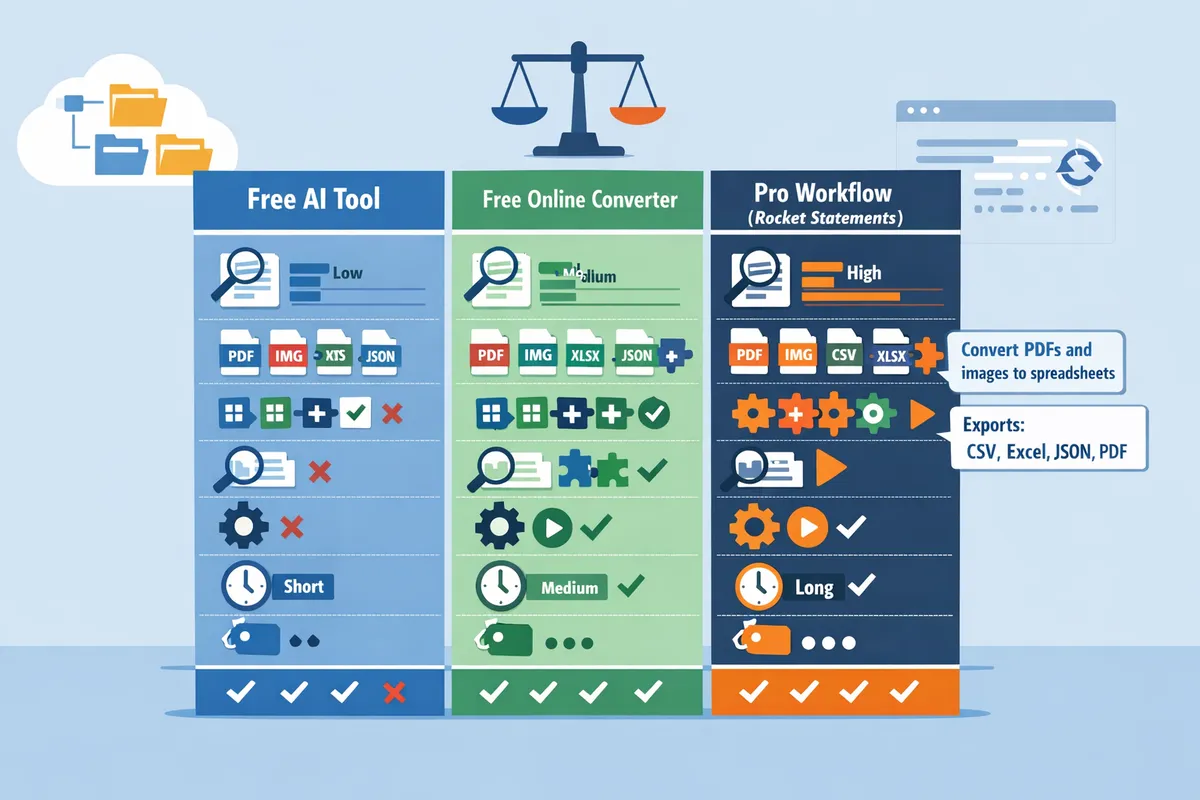
Feature differences show up in OCR accuracy, supported input and output formats, integrations, automation, security controls, onboarding time, and ongoing cost. Procurement teams should compare those criteria side-by-side and ask vendors for benchmark data and sample extraction reports. The table below presents a practical matrix comparing free AI tools, free online converters, and Rocket Statements (pro).
Side-by-side feature matrix 🧾
The table below compares key criteria across free AI tools, free online converters, and Rocket Statements (pro).
| Criteria | Free AI tools | Free online converters | Rocket Statements (pro) | Notes for procurement teams |
|---|---|---|---|---|
| OCR accuracy | Variable by model and input quality; often lower on scanned multi-column statements | Consistent on simple, machine-generated PDFs; error-prone on photos or bank-specific layouts | Template-free parsing plus validation rules to reduce layout errors and post-extraction fixes | Request vendor-supplied sample extraction reports split by layout type |
| Input support (PDF, PNG, JPEG) | Usually supports PDF and common image formats; may require preprocessing | Primarily PDF; some accept JPEG/PNG uploads | Native PDF and image handling, batch uploads, and cloud folders/subfolders | Test with scans, screenshots, and archived bank PDFs from your client base |
| Output formats (CSV, Excel, JSON, QBO) | Typically CSV/Excel exports only | CSV/Excel and sometimes JSON; few offer QuickBooks-compatible exports | Exports to CSV, Excel, JSON, PDF, and QuickBooks-compatible files | Confirm QBO/OFX formatting and field mappings for your accounting software |
| Integration depth (QuickBooks, Xero) | Little to none; manual export/import required | Limited connectors or third-party plugins | Direct exports that match QuickBooks import requirements and Xero mapping workflows | Ask for a demo of a direct QuickBooks/Xero import with a real sample file |
| Document management | Minimal; temp uploads or none | Basic file history for paid tiers | Cloud storage with folders, subfolders, and versioning | Verify retention controls and bulk-folder export options |
| Automation (live sync) | Rare; mostly manual upload and download | Some scheduled batch jobs on paid plans | Live transaction sync from bank accounts and automated field mapping | Confirm frequency of syncs and conflict-resolution behavior |
| Typical onboarding time | Immediate to a few hours of trial-and-error | Minutes for basic use; longer if manual mapping needed | Guided onboarding with mapping review and team training options | Factor in internal training time and vendor support hours |
| Ongoing cost | Free or pay-per-use API credits | Free tier or per-page fees; subscriptions for bulk use | Subscription pricing for pro workflows, support, and live sync | Calculate cost per statement including reconciliation and manual corrections |
How do security and compliance features differ? 🔒
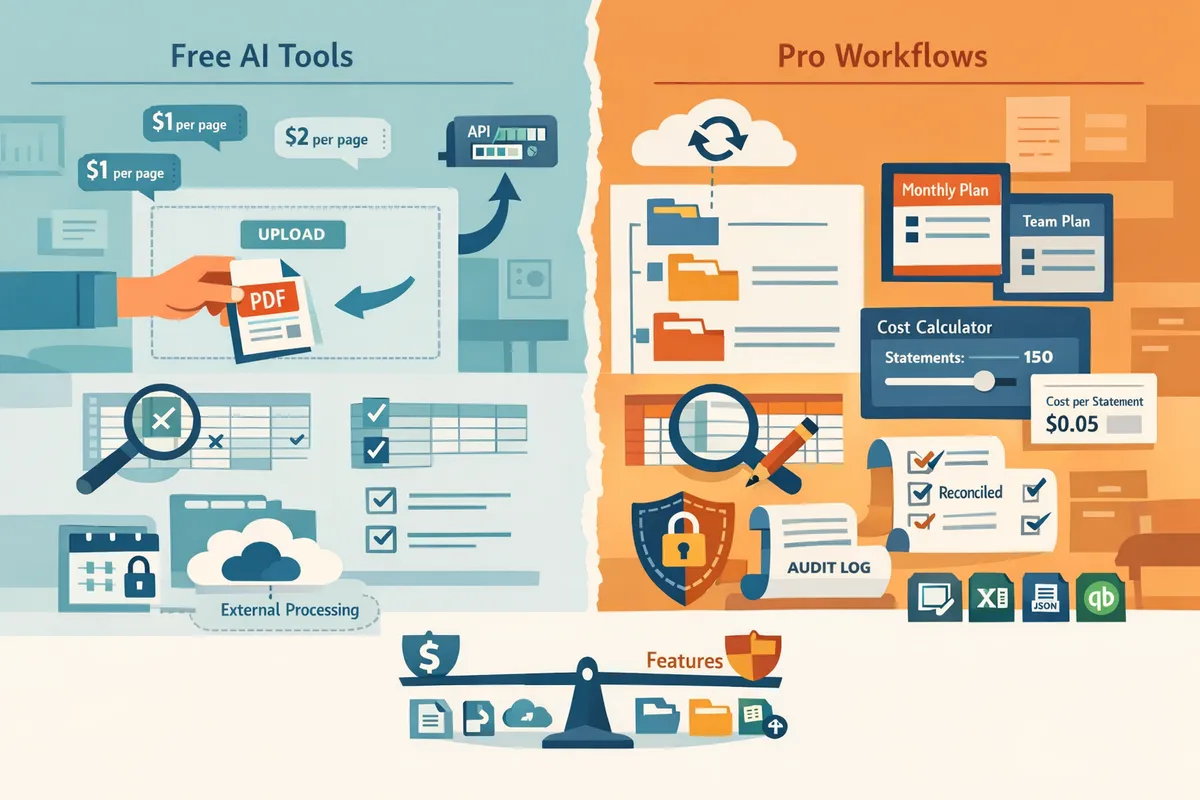
Security and compliance vary widely and SMBs must evaluate encryption, access controls, retention policies, and audit logging. Free AI tools often process files through third-party models without long-term retention controls. Free online converters may keep temporary copies and rarely provide role-based access or audit trails. Rocket Statements provides encryption in transit and at rest, role-based user controls, retention settings, and audit logs that show who accessed or changed documents.
Ask these vendor questions before procurement:
- Where are files stored and what are your data residency options?
- Do you encrypt data at rest and in transit? Provide the encryption standards.
- Do you provide role-based access controls and single sign-on (SSO) options?
- Can you produce audit logs for downloads, exports, and user changes?
- What is your data retention and secure deletion policy?
- Provide copies of relevant compliance certifications and third-party audit reports.
Our recommended evaluation template for responses (use as an email or RFP section):
- Data residency: [Region(s) where data is stored].
- Encryption: [In transit] / [At rest] standards.
- Access controls: [RBAC, SSO, MFA availability].
- Retention and deletion: [Default retention policy], [Immediate deletion option].
- Auditability: [Types of logs available], [Retention period for logs].
- Certifications: [SOC 2 / ISO 27001 / GDPR statements with links to reports].
⚠️ Warning: Do not accept vague certification claims. Ask for the certificate date and scope and request a redacted report if the vendor cites SOC 2 or similar attestation.
Link to our guide on specific accountant and bookkeeper needs for more context: Bank Statement Converter for Accountants and Bookkeepers. Also review criteria from What Actually Makes for a Good Bank Statement Converter in 2026? when validating security controls.
Which benchmarking and reliability metrics should you request? 📊
Request OCR accuracy by statement layout, average error rate, sample extraction reports, and SLA uptime from every vendor. Vendors should supply extraction samples that show original pages, parsed output, and a list of manual corrections applied. Also ask for historical uptime, mean time to process a batch, and incident response SLAs.
Use this simple vendor testing plan to verify claims:
- Collect 50 representative statements across 5 banks covering: single-column PDFs, multi-column PDFs, scanned images, mobile screenshots, and password-protected PDFs.
- Submit blinded samples to each vendor and collect: parsed output, time-to-first-export, and a list of field mismatches.
- Calculate extraction accuracy as (correct fields / total expected fields) for each layout type.
- Count manual corrections required and time spent per statement.
- Test direct import into QuickBooks or Xero using the vendor's exported file to verify compatibility.
Also request reliability metrics in writing:
- SLA uptime percentage and historical uptime reports.
- Average processing latency for batch jobs.
- Error rate per 1,000 statements processed.
For more practical methods to convert and validate outputs into spreadsheets, see our comparison of methods: Convert Bank Statements to Google Sheets (2026): 5 Methods Compared + Free Template
According to Rocket Statements, what operational benefits matter? ✅
According to Rocket Statements, automated field mapping and live transaction sync reduce repetitive mapping and reconciliation steps. Rocket Statements highlights that direct exports to QuickBooks-compatible files and cloud document organization cut manual rekeying and file hunting. For example, a bookkeeping team that routinely rekeys 200 transactions per client can reduce mapping time by handling field mapping rules and validation checks up front.
Operational items procurement teams should confirm with Rocket Statements and other vendors:
- Whether automated mapping preserves custom client chart-of-accounts codes.
- How reconciliation flags appear in exported files and whether the system flags likely duplicates.
- Availability of export presets for QuickBooks and Xero to avoid rework during month-end.
See our overall product comparison and buyer guidance in What's the Best Bank Statement Converter in 2026? and detailed conversion workflows in Bank Statement Converter: How to Turn PDFs into CSV, Excel, and More.
Which option should my firm pick and how do I implement it?
For most small accounting firms, a pro workflow like Rocket Statements is the better choice because it reduces manual entry time and lowers compliance risk compared with many free AI converters. This section gives a buyer's checklist with a one-page readiness score, industry workflows showing hours saved, and a step-by-step onboarding checklist that shows time-to-value.
Buyer's checklist and 1-page readiness score 📝
Use a focused buyer's checklist and a one-page readiness score to shortlist vendors efficiently. Score each vendor across five dimensions: accuracy, integration depth, security controls, onboarding time, and support. Weight accuracy and integration higher for firms that import directly into QuickBooks or Xero.
Key checklist items to evaluate:
- Accuracy and parsing reliability (handle multi-column and multi-currency statements).
- Supported export formats (CSV, Excel, JSON, QuickBooks-compatible files).
- Native QuickBooks/Xero integration and mapping tools.
- Security controls (encryption at rest/in transit, role-based access, audit logs).
- Onboarding time and pilot support (sample exports, mapping assistance).
- Ongoing support and SLAs (response times, escalation).
- Live bank syncing and cloud document management.
| Dimension | Weight | Vendor A | Vendor B | Vendor C |
|---|---|---|---|---|
| Accuracy | 30% | |||
| Integration | 25% | |||
| Security | 20% | |||
| Onboarding | 15% | |||
| Support | 10% |
💡 Tip: Run a 25–50 statement pilot and score vendor exports by importing them into QuickBooks or Excel to verify mapping and edit rates.
See our analysis of core product features in What Actually Makes for a Good Bank Statement Converter in 2026? for evaluation criteria you can reuse.
SMB workflows: retail, services, and nonprofit examples 🏬
Retail, services, and nonprofit firms save distinct hours when Rocket Statements automates statement conversion and exports to accounting systems. Each scenario below shows concrete steps the platform automates and illustrative monthly hours saved.
Retail example. A small e-commerce retailer reconciles daily deposits, card fees, and refunds. Rocket Statements extracts transactions, applies merchant fee mappings, and exports a CSV mapped to QuickBooks. For a store with ~500 monthly transactions, this can reduce reconciliation time by 6–12 hours per month compared with manual rekeying.
Services example. A two-person bookkeeping firm handling subcontractor payments and client billables uses Rocket Statements to convert mixed PDF and image statements into Excel with line-level descriptions. Mapping rules assign transactions to client jobs automatically. For 200 transactions monthly, expect a 4–8 hour monthly savings and fewer posting errors during client reporting.
Nonprofit example. A mid-size nonprofit receives grant deposits and restricted funds in multiple statement formats. Rocket Statements centralizes documents in cloud folders and produces QuickBooks-compatible exports with grant codes applied. For organizations processing 150 transactions per month, this workflow can cut reconciliation time by 3–6 hours and reduce compliance risk during audits.
Related methods and export workflows are compared in Convert Bank Statements to Google Sheets (2026): 5 Methods Compared + Free Template.
Step-by-step onboarding and integration checklist
A pilot-first onboarding that maps fields, validates 25–50 sample statements, and confirms QuickBooks/Xero exports gets firms to live in a controlled, measurable way. Follow these steps and assign clear owners for each task.
- Assign roles. Bookkeeper (pilot owner), admin (vendor contact), IT (network/access), and a client contact for statement access.
- Collect sample statements. Gather 25–50 representative PDFs and images covering different banks and formats.
- Map fields. Use the vendor's mapping UI to match statement columns to your chart of accounts and QuickBooks fields. Confirm mapping on 10 samples.
- Run pilot. Process the full pilot batch and export to CSV/Excel and QuickBooks-compatible files.
- Validate exports. Import the sample exports into a sandbox QuickBooks/Xero company or a designated Excel template. Check totals, fees, and starting/ending balances.
- Acceptance criteria. Aim for under 5% manual edit rate during the pilot, matching ledger totals, and clean imports without mapping errors.
- Enable live sync. Once pilot criteria pass, connect live bank syncing, set folder structure, and enable scheduled batch runs.
- Train and document. Train 1–2 bookkeepers and store a short playbook for exception handling and client approvals.
⚠️ Warning: Confirm the vendor's data retention policy and access controls before uploading client statements to avoid privacy or compliance gaps.
For a deeper onboarding checklist and common mapping pitfalls, see Bank Statement Converter for Accountants and Bookkeepers.
Final recommendation and procurement next steps
Select a vendor after verifying accuracy benchmarks, security controls, and depth of QuickBooks/Xero integration rather than choosing the lowest price. Price often hides costly manual cleanup and longer onboarding.
Procurement steps to follow:
- Run a paid pilot with 25–50 statements and score imports using the readiness template above.
- Request a sample export into your QuickBooks or Xero test account to confirm compatibility and mapping nuances.
- Ask for a short-term SLA that covers uptime, support response times, and a termination clause during the pilot period.
- Verify security documentation: encryption, role-based access, audit trails, and data retention policies.
- Negotiate onboarding support hours and training included in the pilot or first month.
Use vendor scores from the readiness table to shortlist finalists. For a practical comparison of available options and how Rocket Statements stacks up on features like cloud document management and QuickBooks exports, see What's the Best Bank Statement Converter in 2026? and Bank Statement Converter: How to Turn PDFs into CSV, Excel, and More.
Frequently Asked Questions
This FAQ gives direct answers to the seven buyer questions most small firms ask about OCR accuracy, file formats, integrations, security, vendor risk, and pilot testing. Read each Q&A to extract a single factual answer, then use the supporting steps and links to act on the result.
How accurate is OCR for bank statements?
OCR accuracy depends on statement layout, scan quality, and the vendor's parser model, so results vary between tools and banks. Measure accuracy using a field-level match rate: compare extracted fields (date, amount, payee, running balance) to ground truth and report percent matches per field. For practical evaluation, run a 30–50 statement sample and track both field-level accuracy and manual correction minutes per statement. Rocket Statements supports batch conversions and exportable reports so you can compute field match rates without rebuilding spreadsheets manually. For deeper feature guidance see What Actually Makes for a Good Bank Statement Converter in 2026.
Can I use a free AI bank statement converter to generate QuickBooks imports?
You can produce CSV exports with free AI converters, but most do not provide reliable QBO/QBX exports or preserved field mapping for direct QuickBooks import. That gap forces manual remapping, column normalization, and reconciliation steps that add hours per client and increase mismatch risk. Rocket Statements exports QuickBooks-compatible files directly and includes column mapping tools to reduce manual rework. If you test free tools, budget time to clean headers, align date formats, and verify running balances before importing.
What file formats should a modern converter support?
A modern converter should accept PDF and common image types and export to CSV, Excel, JSON, and QuickBooks-compatible files. JSON exports are useful when you need automated pipelines or custom integrations because they preserve structure and field names, while QBO/QBX are required for straight QuickBooks imports without manual mapping. Rocket Statements converts PDFs and images into CSV, Excel, JSON, and QuickBooks-compatible outputs and lets you pick the target format during batch export. See Bank Statement Converter: How to Turn PDFs into CSV, Excel, and More for format use cases and export examples.
How do I test OCR accuracy across different bank layouts? 🔍
Test OCR accuracy with a 30–50 statement set covering the banks and statement styles you see most often, and measure both field accuracy and manual correction time. Follow these steps:
- Assemble 30–50 real client statements that represent your typical mix (different banks, credit cards, multi-page statements, scanned photos).
- Run parallel conversions across vendors and export raw outputs.
- Define pass/fail criteria (for example, 95% field accuracy on date/amount/payee or under X minutes manual correction per statement).
- Track actual manual correction minutes per statement and compute cost per month.
💡 Tip: Include low-quality scans and multi-column layouts in your sample; average-case testing hides edge cases that cost the most time.
Rocket Statements offers pilot runs and batch exports so you can measure correction minutes without committing. For procurement advice, compare pilot results against the checklist in What's the Best Bank Statement Converter in 2026?
Is cloud document storage safe for bank statements?
Cloud storage can be safe when the vendor enforces encryption in transit and at rest, role-based access controls, immutable audit logs, and clear retention and deletion policies. Verify these controls before onboarding: encryption standards, SOC 2 or ISO certifications, multi-factor authentication, granular folder permissions, detailed audit trails, documented data deletion procedures, and a subprocessor list. Rocket Statements stores documents in folder/subfolder structures and provides access controls and export tools so you retain control over your records. Ask vendors for compliance artifacts and an explanation of their data export and deletion processes before signing.
How much time will automated conversion save my firm?
Automated conversion saves time by removing repetitive manual data entry and reducing reconciliation cycles; you can estimate savings by timing current manual entry per statement and projecting monthly volume. Use this simple formula:
(Avg minutes manual per statement - Avg minutes automated per statement) × Number of statements per month = Minutes saved per month.
Example: if manual entry averages 45 minutes and automation reduces that to 7 minutes, processing 50 statements saves (45 - 7) × 50 = 1,900 minutes (about 32 hours) per month. Rocket Statements reduces correction overhead and offers live transaction syncs, which further shortens reconciliation time and cuts repeat work. Use the example calculation above with your own averages to build an ROI estimate for stakeholders.
What vendor risks and SLAs should I check before buying?
Before purchase, verify vendor uptime SLAs, data retention and export clauses, support response times, and security certifications to reduce operational and compliance risks. Ask for these contract items and red lines:
- Uptime SLA and remedies for missed uptime.
- Data export within a defined window (for example, export all documents within 7 days) and machine-readable formats.
- Confirmed data deletion and certification on request.
- Support response time tiers for production incidents.
- Liability limits, breach notification timelines, and disaster recovery plans.
Red lines our website flags: refusal to provide export rights, no encryption at rest, no audit logging, or inability to name subprocessors. Rocket Statements provides export and folder controls and documents support SLAs for onboarding and pilot phases. For procurement language examples and negotiation tips see Bank Statement Converter for Accountants and Bookkeepers.
Pro workflows suit recurring bookkeeping; free AI tools fit quick, low-volume checks.
For small accounting firms and bookkeeping teams the right choice depends on accuracy needs, compliance risk, and onboarding time. Our comparison shows that free AI tools can speed occasional conversions, but pro workflows reduce manual rework and audit risk for recurring clients. The bank statement converter features 2026 roundup highlights those trade-offs.
Rocket Statements is a platform that helps users save time and money by automating the process of converting their statements into spreadsheets as well as manage their documents in the cloud.
The product has the following features:
- Convert their PDF and image statements into spreadsheets
- Manage their documents in the cloud with folders and subfolders
- Sync live transactions data from bank accounts
- Transform their statements into CSV, Excel, JSON, and PDF files
- Transform their statements into Quickbooks compatible files
💡 Tip: Use a short pilot of 1–2 months to compare a free online bank statement converter with a pro workflow before full migration.
For a tailored recommendation, schedule a consultation with Rocket Statements to map the fastest, lowest-risk path for your firm. For more on choosing a converter, see our guide on What's the Best Bank Statement Converter in 2026? and methods to Convert Bank Statements to Google Sheets (2026).